Quick Verdict
- ShortPixel is the best choice for developers, WordPress agencies, and power users.
- ShortPixel is best who need advanced image optimization controls, one-time credit purchases that never expire, PDF compression, built-in CDN, and bleeding-edge AI features (like image upscalling, background remover, etc).
- Imagify is a good option if you want absolute simplicity and are already using the WP Rocket cache plugin.
- Imagify offers a seamless, Minimalist interface with unlimited image optimization for a flat monthly/yearly fee, prioritizing ease of use over granular compression control.
For the last 7 years, I have routinely audited bloated WordPress sites. In my experience, most WordPress site owners are actively sabotaging their own SEO and Core Web Vitals score.
When you upload a crisp 5MB hero image on your site, instantly, Google PageSpeed Insights score plummets into the red, and your visitors are bouncing before the page even renders.
To optimize images, WordPress has two of the most popular plugins: ShortPixel and Imagify.
Both of these plugins promise the holy grail: shrinking your image sizes by up to 80% without making your images look like a pixelated mess. But they operate on completely different philosophies, target completely different users, and hide very different catches in their pricing models.
How I Tested ShortPixel & Imagify Plugin?
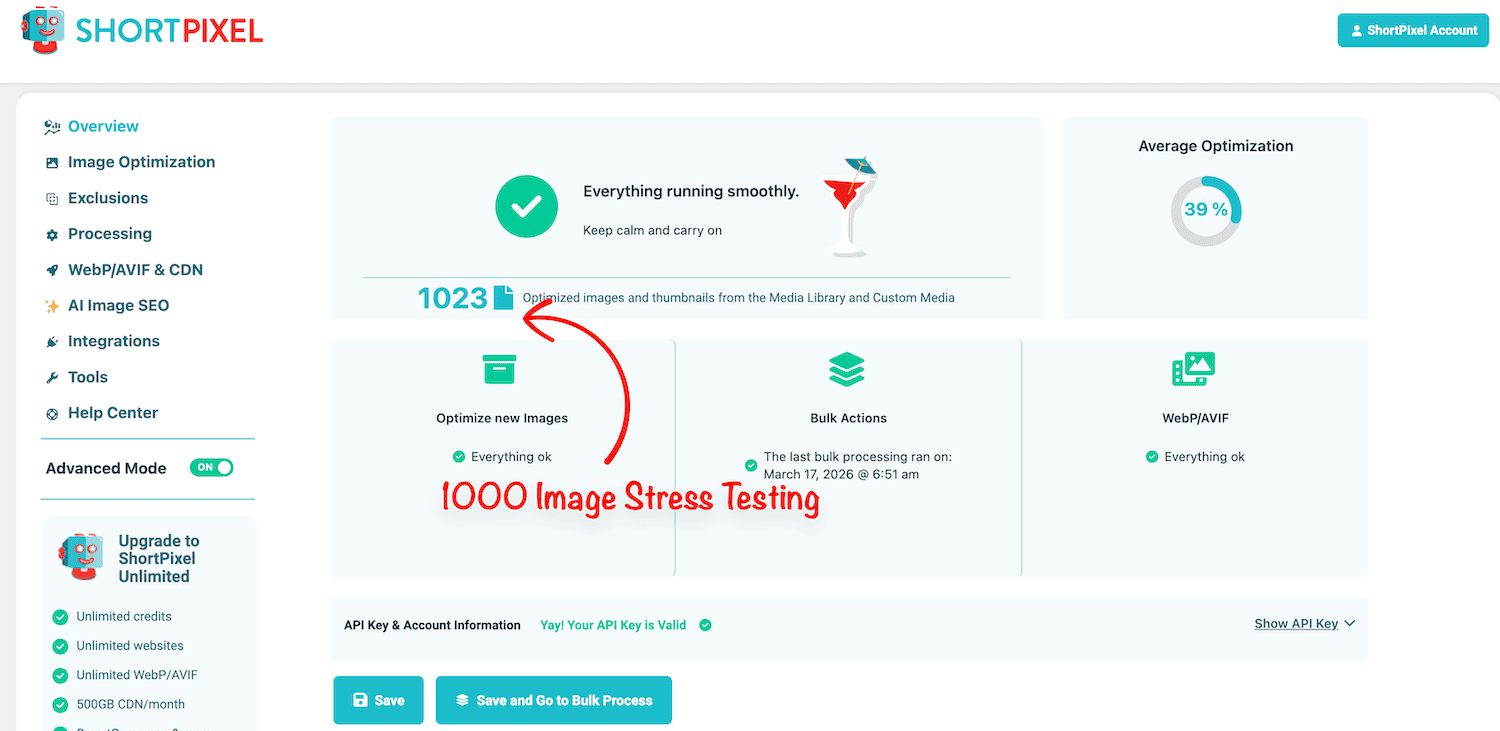
In this blog post, I compare plugins between Imagify and ShortPixel; I didn’t just read their feature lists. I put them through a “48-hour Real World” stress test. I took a bloated, messy client site with 1,000 images and ran both plugins to see which one actually improved Core Web Vitals scores and which one just made empty promises.
I put both plugins under the microscope, analyzed their compression algorithms, checked hidden catches in their pricing models, and tested their actual impact on server load. Here’s a quick comparison between Imagify and ShortPixel.
| Feature | Imagify | ShortPixel |
|---|---|---|
| Target Audience | Beginners & WP Rocket users | Developers, Agencies & Power Users |
| Image Compression | Smart Compression (Automated) | Lossy, Glossy, & Lossless |
| WebP & AVIF Support | Yes | Yes |
| PDF Optimization | No | Yes |
| Remove EXIF Data | Yes (By default) | Yes |
| CMYK to RGB conversion | No | Yes |
| AI Features | No | Yes (Background removal, Image SEO, Upscaling) |
| Backup Originals | Yes | Yes |
| User Interface | Minimalist, gorgeous UI | Cluttered (tab-heavy) UI |
The Pricing Trap: Bandwidth vs. Credits (The Hidden Cost)
First, you need to understand how WordPress handles images. When you upload one image, WordPress automatically generates 5 to 10 different thumbnail sizes (for your blog feed, mobile view, widgets, etc.)
The crucial differentiator: ShortPixel consumes a credit for every single thumbnail generated by your WordPress theme, which can drain your quota faster than expected.
On the other hand, Imagify doesn’t care how many thumbnails you have. They charge by total file weight (MB) to optimize all images. If you have a theme that creates a dozen thumbnails, Imagify is often much cheaper because it only counts the data used, not the number of files.
Imagify Pricing (The Bandwidth Model)
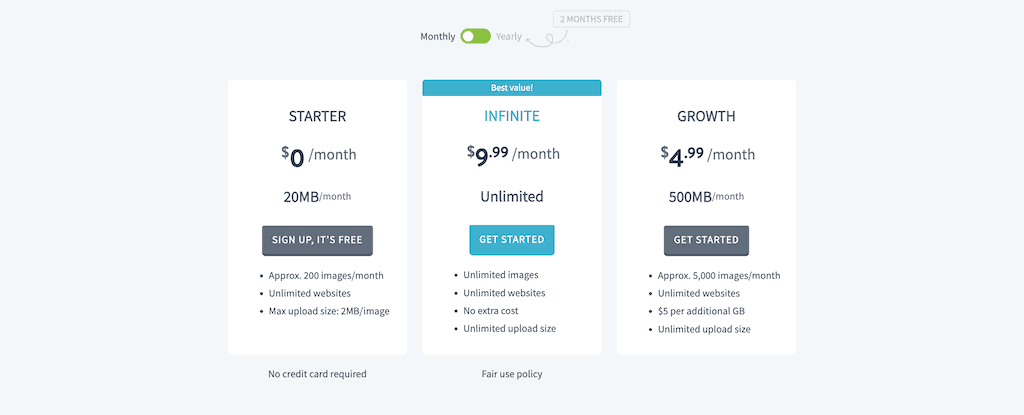
Imagify charges based on the total file size you optimize. They don’t care if you have one thumbnail or twenty; they only care about the megabytes consumed to optimize your image.
| Plan | Pricing | Bandwidth Quota | Best For |
|---|---|---|---|
| Starter | Free | 20MB/Month | Tiny personal blogs |
| Growth | $4.99/Month | 500MB/Month | Average business sites |
| Infinite | $9.99/Month | Unlimited | Agencies & Heavy Media sites. |
ShortPixel Pricing (The Credit Model)
ShortPixel charges 1 credit per image processed. This sounds simple until you realize how WordPress “multiplies” your images.
If your theme generates 8 thumbnails, uploading one image costs you 10 credits (1 original + 8 thumbnails + 1 for WebP version). You can easily burn through 30+ credits for a single blog post upload.
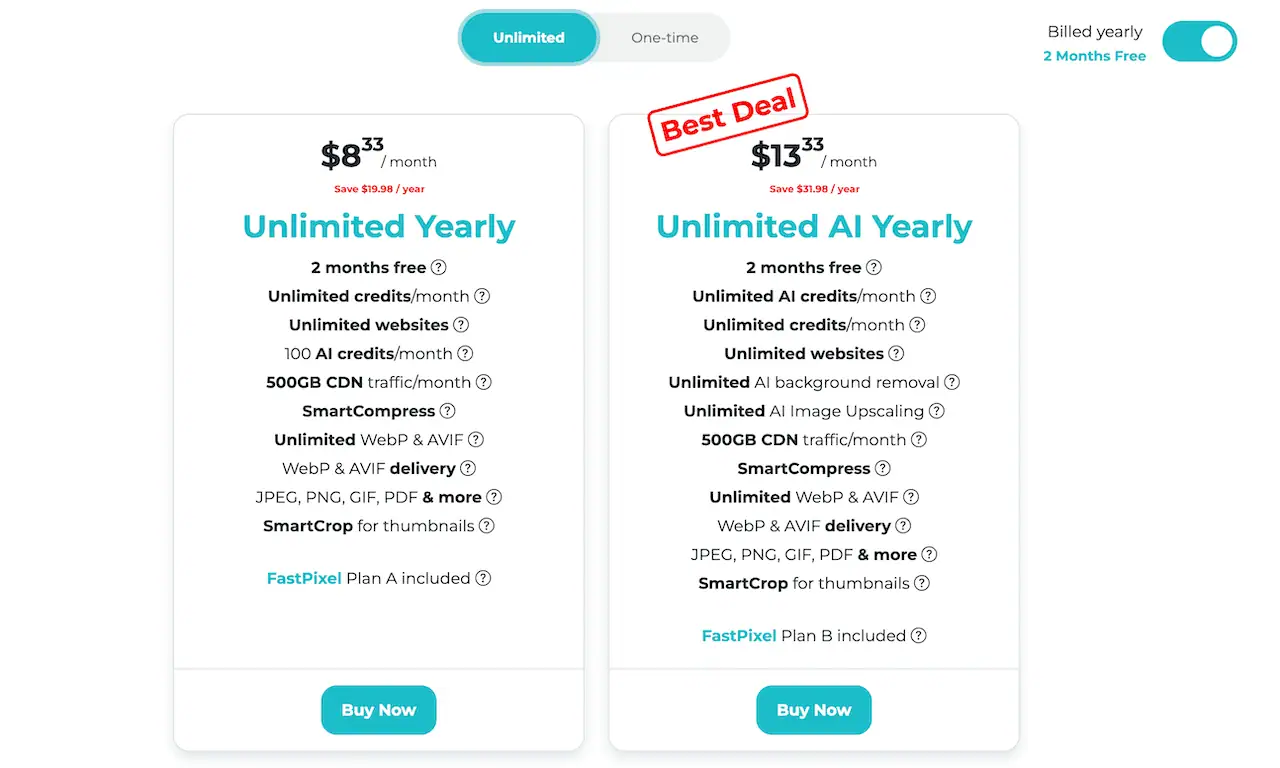
ShortPixel Subscription Tiers:
- Free: 100 credits/month.
- One-Time Credits: This is ShortPixel’s “secret weapon.” You can buy 50k credits for $29.99, and they never expire.
- Unlimited Plan ($9.99/mo): This is their heavy hitter. It includes unlimited image optimization, 100 AI credits (for Alt text/SEO), and 500GB of CDN traffic per month.
My Personal Tip: ShortPixel is only “cheap” if you are smart enough to go into the settings and exclude thumbnails you don’t use. If you leave it on default, you’re throwing ShortPixel credits away.
Imagify’s Infinite plan vs. ShortPixel’s Unlimited plan
- Imagify Infinite: Best if you have a massive existing library (10k+ images) and just want to “Bulk Optimize” everything once without hitting a credit ceiling.
- ShortPixel Unlimited: Best if you want the “all-in-one” experience: Image optimization, PDF optimization, WebP/AVIF delivery via CDN, and AI-powered tools.
Winner: Tie. If you have a massive media library to optimize once, ShortPixel’s lifetime one-time credits are a steal. If you run a high-volume magazine site uploading dozens of images daily, Imagify’s flat “Infinite” monthly plan is mathematically safer.
Core Web Vitals Performance: ShortPixel vs Imagify
I’ve seen many sites with optimized images that still fail Core Web Vitals. Why? Simply because compressing an image isn’t enough anymore.
Google’s algorithms, specifically the Largest Contentful Paint (LCP), now look at how fast the “hero” image appears and whether the layout shifts (CLS) as images load.
To see which plugin actually performs better, I ran a 1,000-image stress test on a high-traffic staging site. Here’s my site’s raw data from PageSpeed Insights and GTmetrix.
| Metric | Baseline (No Plugin) | Imagify + WP Rocket | ShortPixel + WP Rocket |
|---|---|---|---|
| Largest Contentful Paint (LCP) | 3.7s | 1.4s | 1.2s |
| Cumulative Layout Shift (CLS) | 0.211 | 0.011 | 0.01 |
| Total Page Size | 3.4 MB | 1.2 MB | 960 KB |
| PSI Mobile Score | 54/100 | 88/100 | 96/100 |
| GTmetrix Score | D | A | A+ |
ShortPixel consistently edged out Imagify in LCP because of its Adaptive Images (CDN). While Imagify optimized the file on my server, ShortPixel used its CDN to optimize the image and resize it to the exact pixel dimensions of your site visitor’s screen size.
As for CLS, both plugins effectively neutralized layout shifts, though ShortPixel’s CDN delivery felt a fraction of a second more stable during the initial render.
Winner: ShortPixel.
CDN Integration
Imagify: Imagify optimizes images and stores them on your server; it doesn’t include a CDN with its subscription. If you want to serve images globally, you have to connect to a third-party CDN service like Cloudflare or Bunny CDN on your own.
ShortPixel: ShortPixel offers ShortPixel Adaptive Images (SPAI) features with its subscription. It uses the ShortPixel CDN to optimize images, convert them to WebP or AVIF, and scale them to the optimal size for each device. While leaving the original images on your web server unchanged.
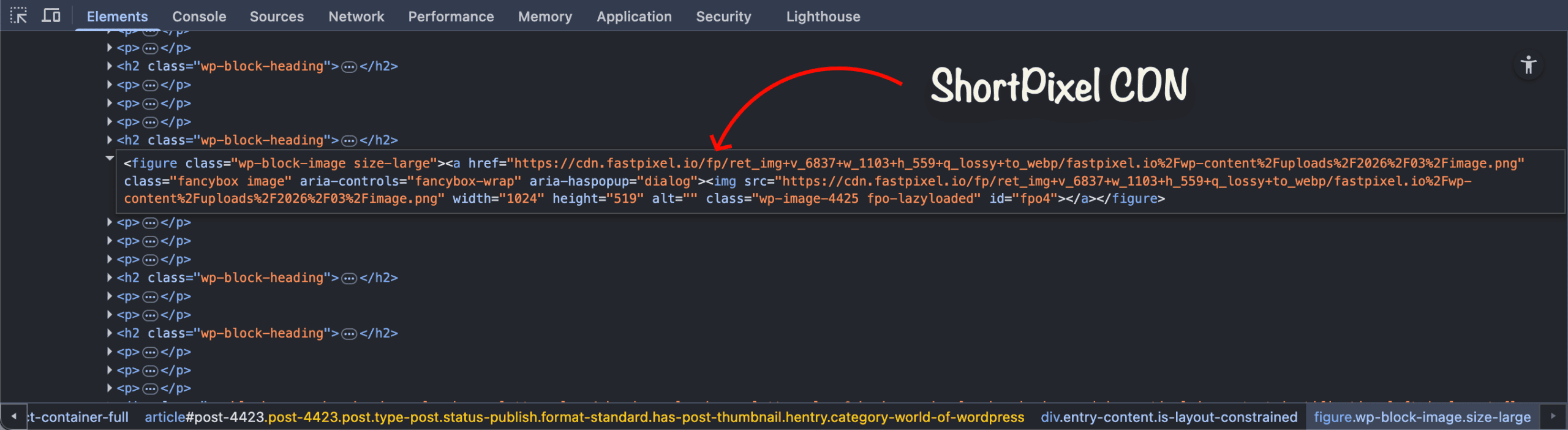
For example, if your site visitor uses a 400px-wide smartphone, ShortPixel’s CDN scales your 2000px hero image down to exactly 400px on the fly before delivering it. This is a massive Core Web Vitals cheat code, specifically for LCP optimization.
Note: As you can see in the image, ShortPixel Adaptive Images (SPAI) replaces the image URLs entirely, which can be a nightmare for some site architectures. Think twice before using it on your website.
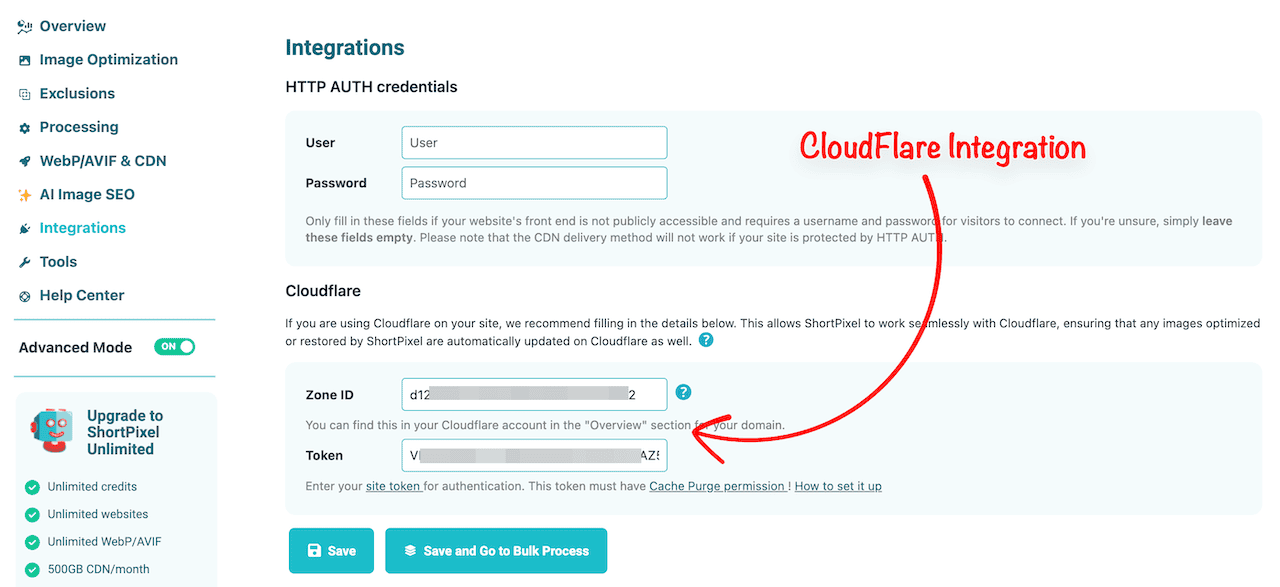
ShortPixel Cloudflare Integration: If you use Cloudflare CDN for your DNS and WAF (like most of my clients), ShortPixel has a dedicated Cloudflare API integration. It ensures that any images optimized or restored by ShortPixel are automatically updated on Cloudflare as well.
Winner: ShortPixel.
Image Compression Algorithms
When you hit “Compress,” both plugins securely route your images to their cloud servers, process them, and send the compressed versions back. This prevents your hosting server’s CPU from crashing during the bulk image optimization process.
Imagify (Smart Compression): Their Smart Compression is incredibly safe. Imagify stripped away its granular settings (Normal, Aggressive, Ultra) and replaced them with a single “Smart Compression” option.
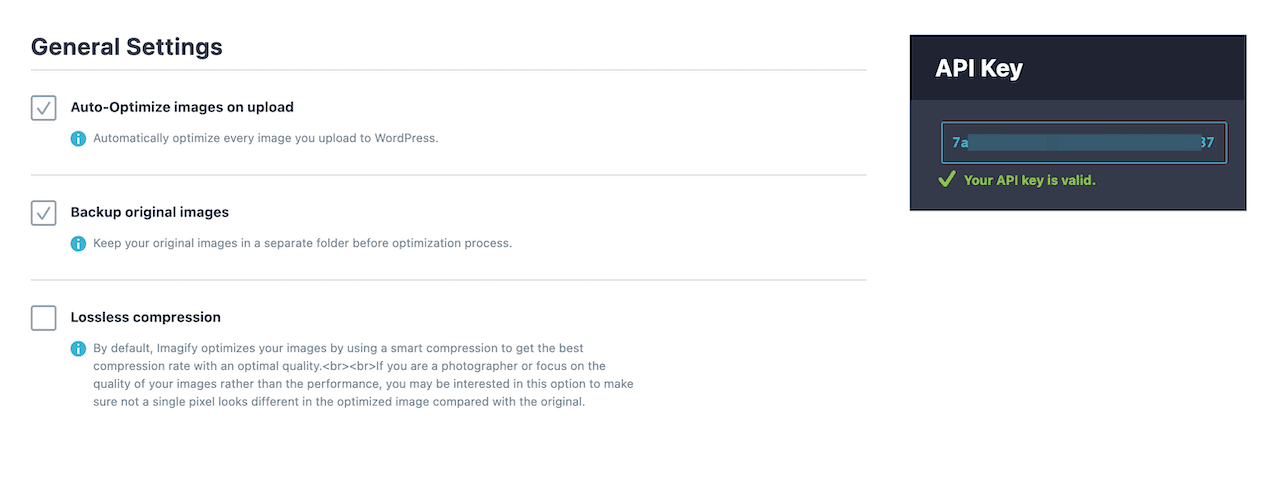
It automatically calculates the best compression-to-quality ratio. In my tests, an unoptimized 1.2MB PNG image consistently drops to around 350KB-400KB (roughly a 65-70% reduction) with almost zero visible artifacting.
ShortPixel (Lossy, Glossy, & Lossless): ShortPixel gives you complete control over image compression rate. ShortPixel’s “Lossy” compression is ruthless, easily slashing up to 80% off image sizes (though slight pixelation may occur on high-contrast edges), and their “Lossless” compression shrinks files without altering a single pixel of data.
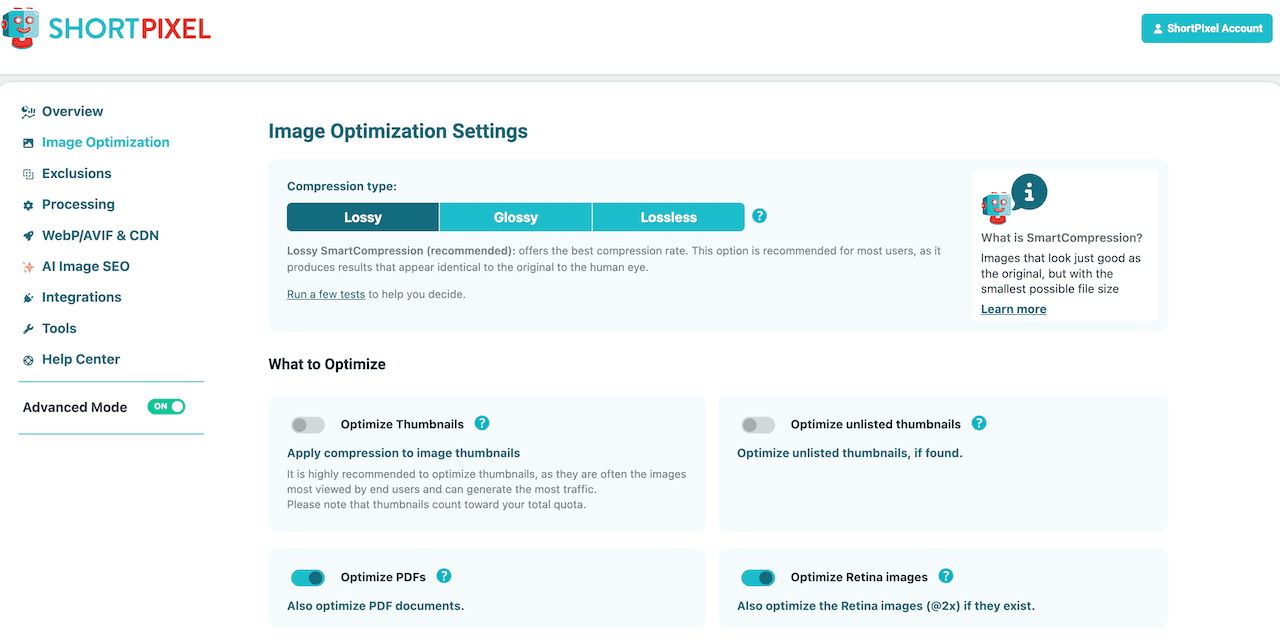
Glossy compression tailored specifically for photographers and WooCommerce stores that preserves EXIF data and fine details while still drastically reducing file weight.
Next-Generation Image Delivery: Both plugins effortlessly convert your old JPEGs and PNGs to next-gen formats like WebP and AVIF. They automatically rewrite your site’s HTML to serve lighter formats.
Winner: ShortPixel.
User Interface Comparison
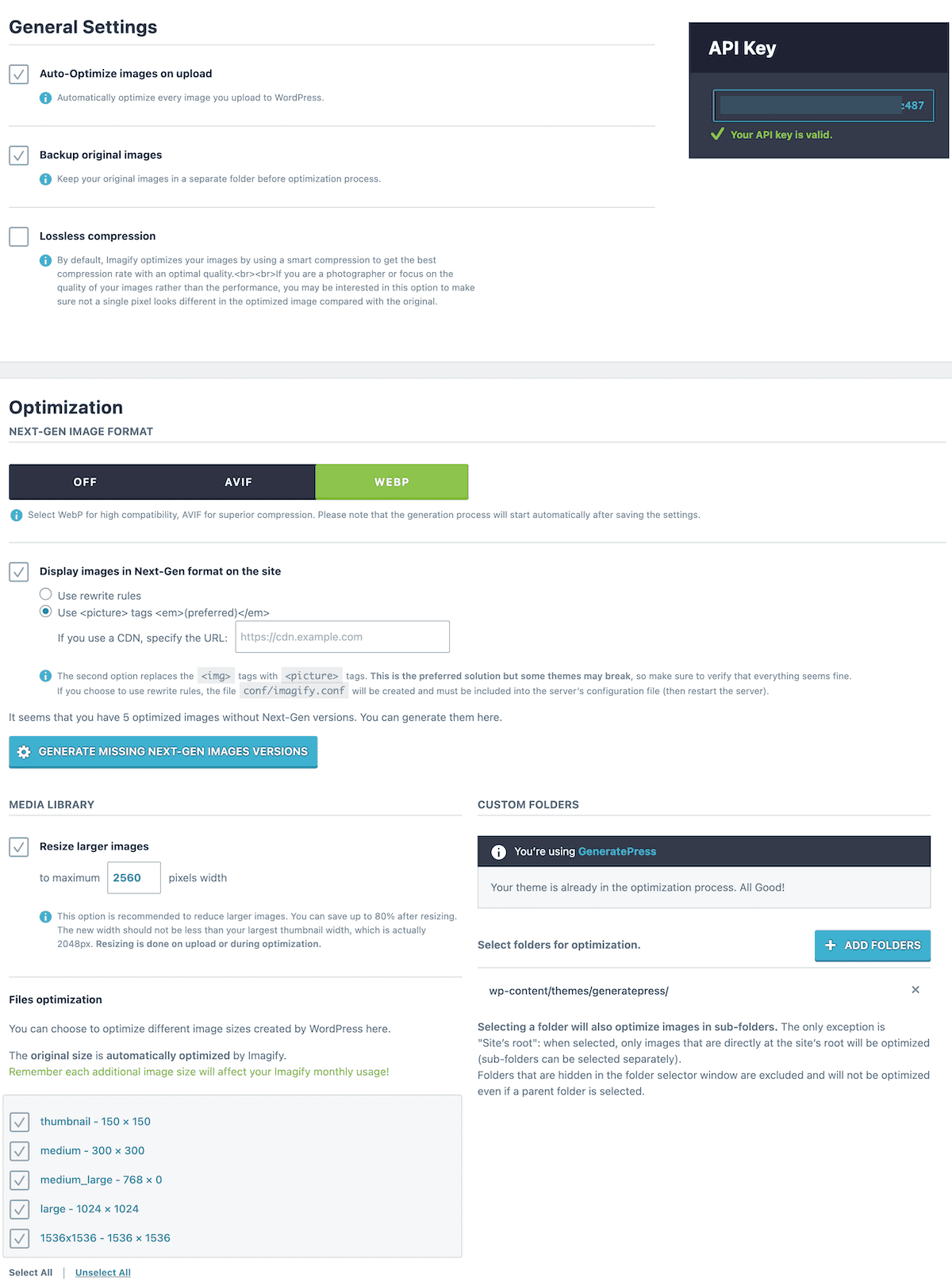
Imagify is built by WP Media (the team behind WP Rocket). If you use WP Rocket on your website, Imagify integrates so flawlessly that it feels like a native WordPress feature. It’s a clean, minimalist, and “set-it-and-forget-it ” solution for WordPress users. Here’s Imagify’s settings on a single page:
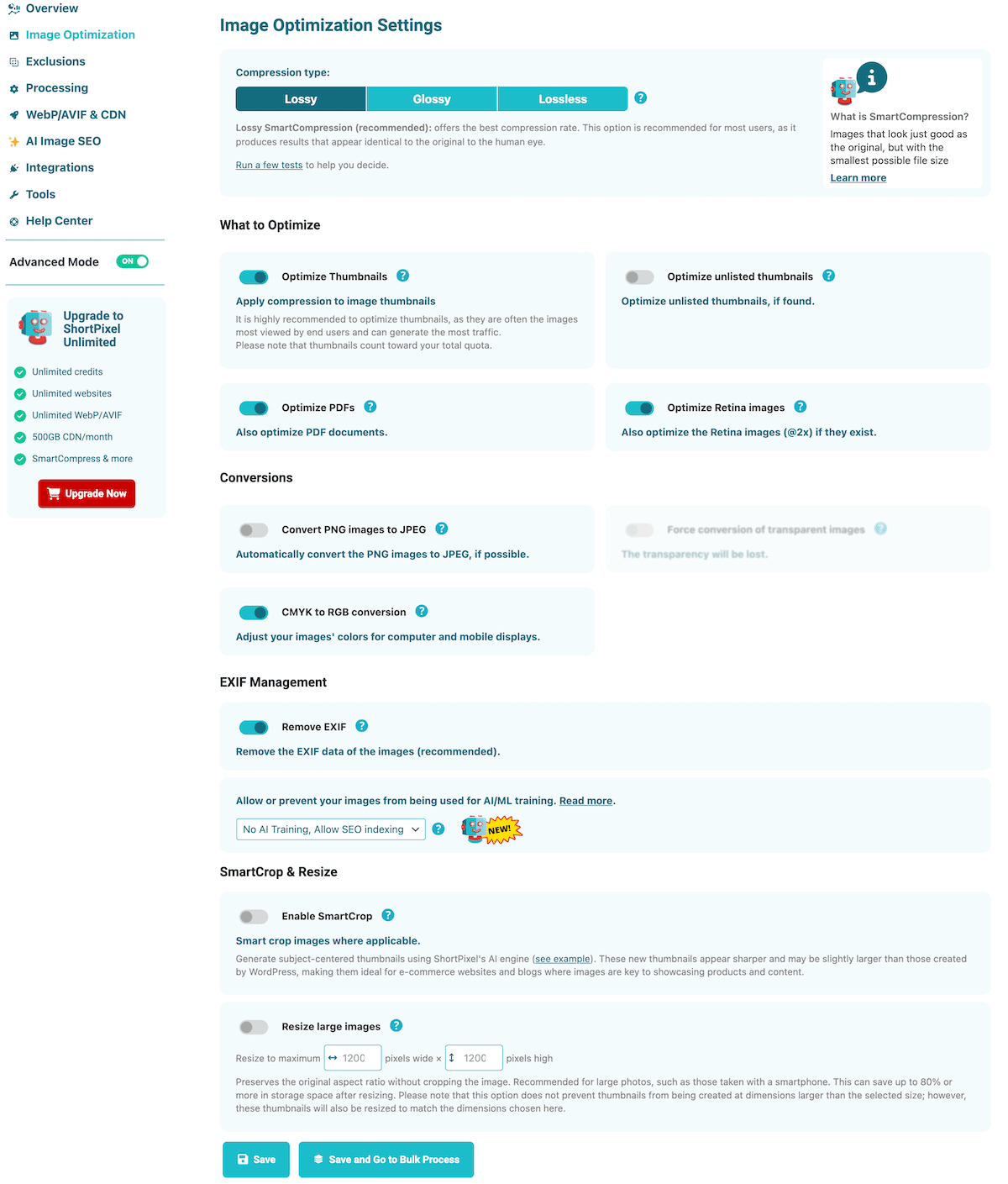
ShortPixel feels like a power tool, and their settings page is cluttered and can be intimidating for beginners. However, for an experienced WordPress user, that “clutter” is actually granular control that lets me fine-tune exactly how the image optimization happens.
Here’s an example of the ShortPixel image optimization settings page with too many options; it can be confusing for WordPress beginners to know what the options do.
Winner: Imagify.
AI Integration
Imagify: Remains strictly focused on the core task of compressing image files and generating WebP/AVIF formats.
ShortPixel: As of the latest 6.4.0 updates, ShortPixel has moved beyond just “compressing image files.” They are now using AI to do the tedious work that usually takes a human hours to complete.
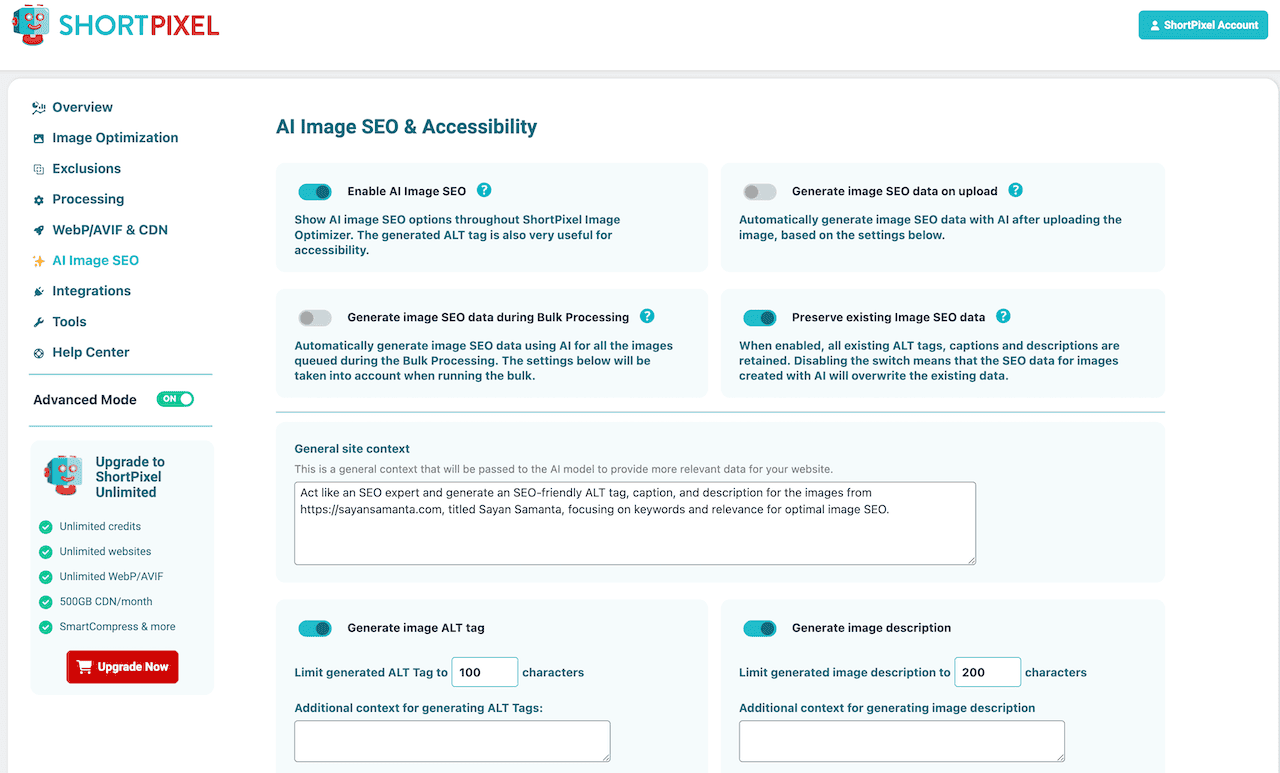
It can automatically generate SEO-friendly alt text, captions, and descriptions for your images using AI. It also offers AI image upscaling and AI background removal right from the WordPress media library.
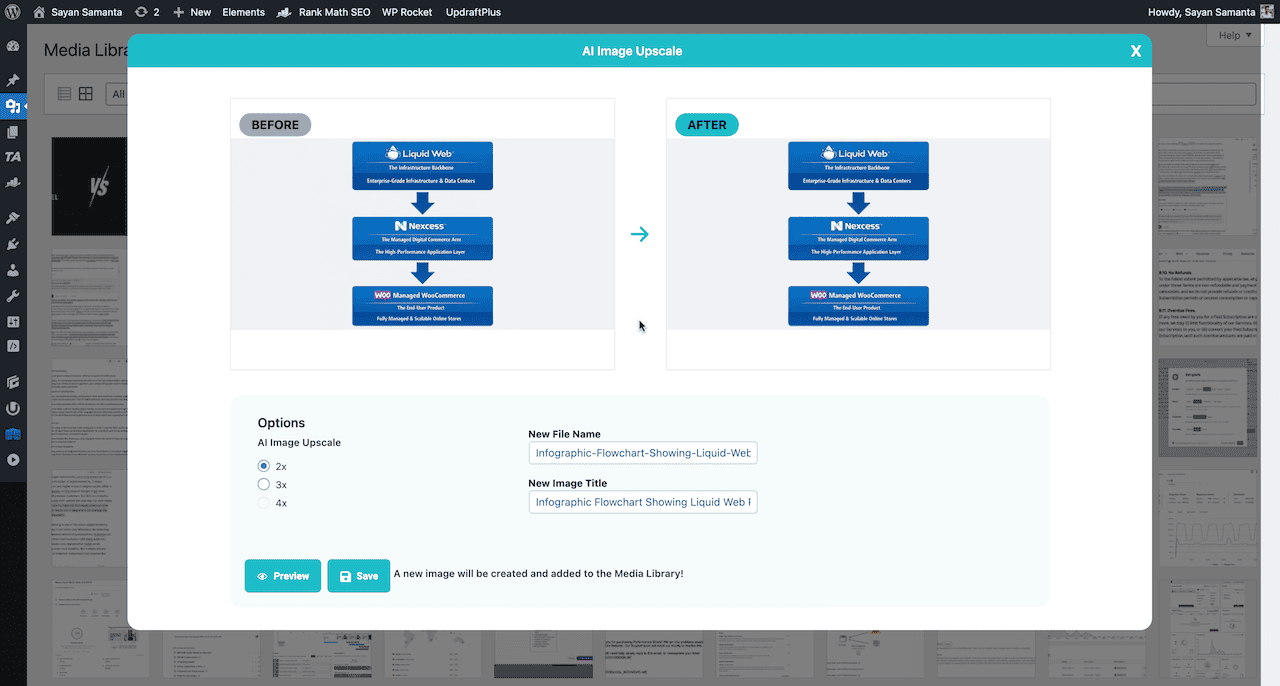
Winner: ShortPixel. However, I don’t think using AI to write SEO meta descriptions is actually useful. But the AI image upscale feature is quite useful for you if you have low-quality images. Right now, you can use these AI features on 100 images per month.
Storage Bloat and Backup Management
Image optimization plugins have a dirty secret: they can double the size of your website’s database and storage footprint.
By default, both plugins keep a hidden backup folder of your original, uncompressed images in your wp-content/uploads folder. This is great if you ever want to revert the changes, but terrible if you have a strict 10GB SSD limit on your cheap shared hosting plan.
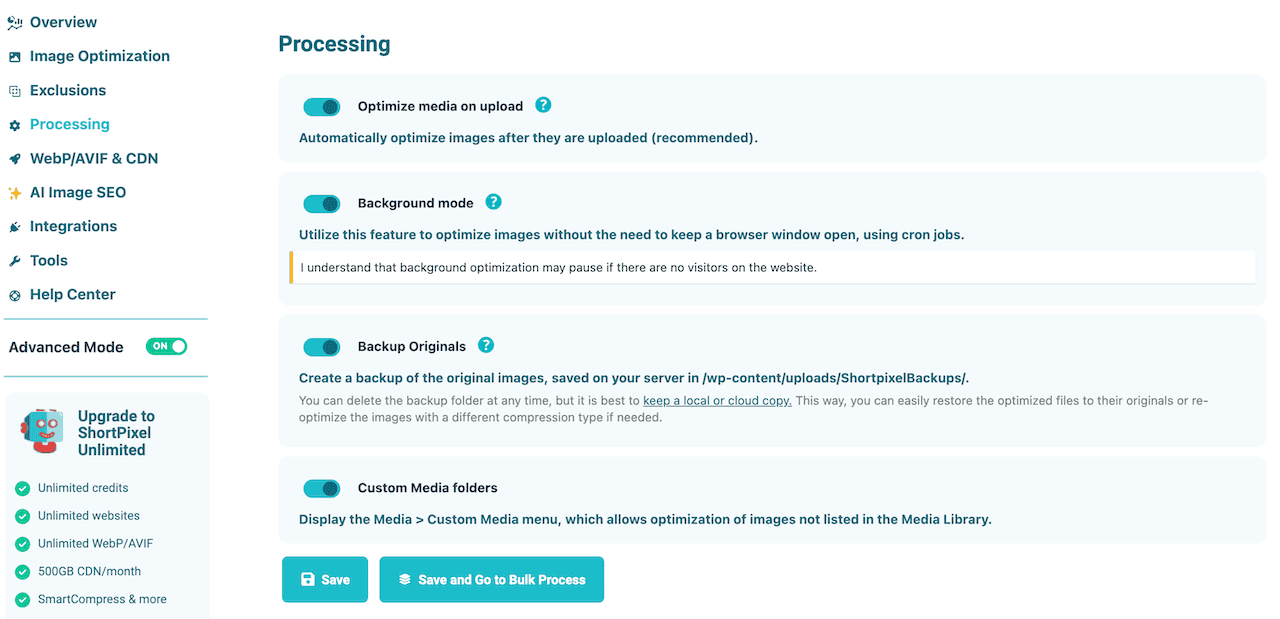
Both plugins allow you to easily delete these backups with a single click once you are satisfied with the compression. However, ShortPixel takes optimization a step further by offering PDF compression with all plans – a rare and highly valuable feature.
Winner: Tie.
FAQs about Imagify & ShortPixel
Below are the most common questions asked about both ShortPixel and Imagify plugins. If you have any other questions, let me know in the comments section.
Will these plugins slow down my WordPress admin dashboard?
No. Both plugins utilize cloud image compression processing. Your server’s CPU isn’t doing the heavy lifting. The only time you’ll notice a slowdown is if you are running a massive bulk image optimization job at once.
Can I use Imagify if I don’t use WP Rocket?
Yes, absolutely. Imagify works perfectly well with all WordPress caching plugins (LiteSpeed, FlyingPress, or W3 Total Cache).
Do I need a paid plan to optimize images?
Yes. Imagify’s 20MB free tier is exhausted in a matter of days on a normal blog. ShortPixel’s 100-credit free tier is exhausted after uploading just 5-10 images (once thumbnails are factored in).
Does ShortPixel or Imagify have a bigger impact on LCP Score?
In my stress testing, I noticed ShortPixel consistently delivered a faster LCP (averaging 1.2s) compared to Imagify (1.4s). This is mainly due to ShortPixel CDN, which serves physically resized images based on the visitor’s device.
Is ShortPixel AI SEO better than manually writing Alt text?
If you have a massive library (like the 1,000 images), manual entry takes time and lots of effort. Then, ShortPixel’s AI Image SEO is a good option for you. However, I always recommend a manual spot-check to ensure the AI-generated alt text aligns with your specific primary keywords.
Which plugin is more cost-effective for a large-scale Image optimization?
For a bulk image optimization of your massive library, ShortPixel’s one-time credits are the most logical choice. You can use our exclusive link to get 50% more credits.
If I deactivate the plugin, do my images stay optimized, or do they revert?
If you deactivate or delete the plugin, your images stay optimized. The plugin has already changed the files. However, you will lose “Next-Gen” image conversion functionality.
What happens to EXIF data for photographers who need to keep copyright info?
To keep your copyright info, you must manually toggle the “Keep EXIF Data” (ShortPixel) or “Preserve EXIF” (Imagify) setting before running any optimization. Keeping EXIF data usually adds about 5–10% to the final file size.
How easy is the “Bulk Restore” option?
Imagify and ShortPixel have a dedicated “Restore” option. It is generally very stable. However, if you delete your backup folder to save server space, you cannot restore your original images.
Final Verdict: Which Plugin is Best For Image Optimization?
Neither of these plugins is “bad.” Using either of them is infinitely better than using raw 4MB images on your website, which can throttle performance instantly. ShortPixel is the better image optimization plugin. Here’s the specific situation where Imagify makes sense instead.
Choose Imagify Plugin:
If you just want your site to be fast without learning what a “lossy algorithm” is, Imagify is the winner. It comes with a minimal dashboard, and pricing is easier to predict if you have a lot of thumbnails. And WP Rocket integration makes it the most stable choice for 90% of WordPress users. It’s a no-brainer.
- Best Feature: Predictable MB-based pricing and flawless WP Rocket integration.
- Biggest Flaw: Limited free tier and less aggressive compression than ShortPixel.
Choose ShortPixel Plugin:
If you are a freelancer, an agency owner, or a developer who needs granular optimization control, PDF compression, and AI-driven SEO automation. ShortPixel is vastly richer, and the non-expiring one-time credits are a massive financial win for bulk image optimizing old websites.
- Best Feature: Non-expiring credits and AI-generated Alt text.
- Biggest Flaw: The “Credit Trap” (thumbnails consuming multiple credits).
Final Verdict: Choose ShortPixel for image optimization power and pricing flexibility. Choose Imagify for friction-free peace of mind and deep integration with WP Rocket.
That’s all for now. If you have any questions related to Imagify or the ShortPixel plugin, let me know in the comments section.
Thank you for reading. Have a nice day.