Quick Overview (TL;DR)
- ChatGPT is good for brainstorming ideas, but Grammarly Pro is better for publishing content.
- Grammarly’s new AI Humanizer and Reader Reactions tools allow writers to bypass AI detection and adjust writing tone with surgical precision – something ChatGPT prompts often fail to do.
- Grammarly’s AI Detector contradicts its own Humanizer; its Authorship Report can be tricked by manual typing.
- Unlike ChatGPT, Grammarly Pro includes a native Plagiarism Detector, Fact Checker, and Citation Finder that cross-references live data to prevent AI hallucinations & plagiarism.
Bottom Line: If your income or GPA depends on your writing, Grammarly Pro is worth buying. If you write for social media, it is not.
Start Using Grammarly Pro Subscription
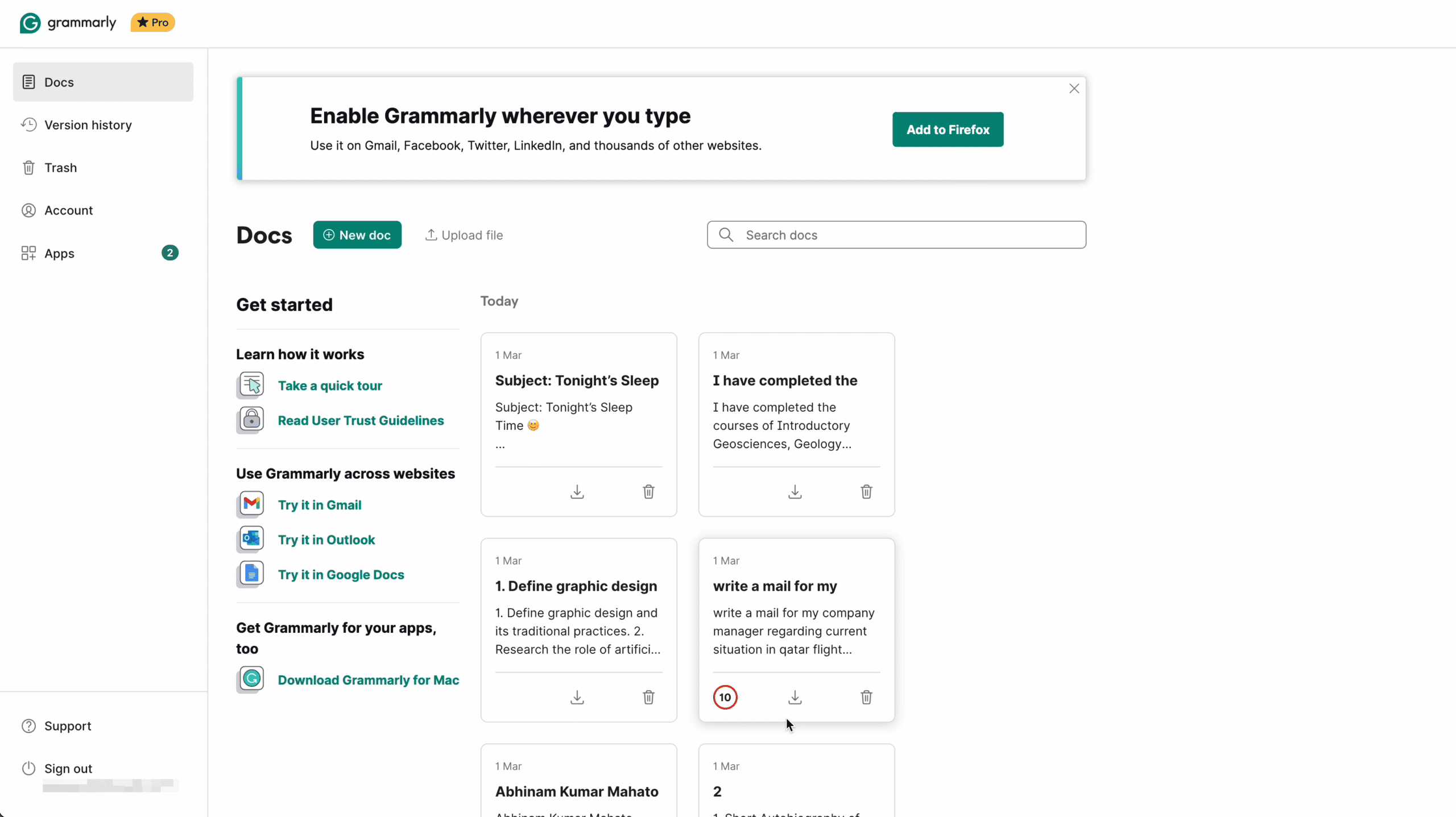
After 7 years of daily use, I re-subscribed to the Grammarly Pro plan with my own money. I test the new AI features by running a 4-phase stress test across 2,500 documents.
To see if Grammarly actually improves your writing or just ruins your tone. My Grammarly review breaks down exactly why I still rely on Grammarly over ChatGPT for my daily workflow.
Every number in this article is from my personal test runs. I will show you the methodology, the raw results, and my honest conclusion — including where Grammarly failed. I also reveal the exact privacy settings you MUST turn off before using Grammarly Pro in 2026.
My Testing Methodology
In 2026, Grammarly has evolved from a simple spellchecker into a full-stack AI writing command center. To look beyond the marketing hype, I conducted a 4-phase Grammarly Stress Test designed for the modern writing landscape:
- Hallucination Check: Testing the new Fact-Checker agent against 12 planted fake data points to measure accuracy.
- Proofreader Check: Testing against 2500 error-filled documents to find all grammatical errors.
- AI Detection Bypass: Running ChatGPT-generated content through the Humanizer tool, then re-checking it with Grammarly’s own AI Detector to find the bypass rate.
- Integrity Audit: Running 4 document types (original, plagiarized, AI-spun, and properly cited) through Grammarly’s Plagiarism Checker and Authorship Report, then cross-referencing against Copyscape and Turnitin.
Quick Verdict: In my test, Grammarly Pro caught 91% of grammar errors, flagged 67% of AI hallucinations, and reduced AI detection scores by an average of 47 points using its own Humanizer tool.
Test 1: Hallucination Check — Fact Checker vs. Fabricated Claims
The Problem: ChatGPT (or any AI models) are notorious for “hallucinating” — confidently stating false information as fact. Grammarly’s new Fact Checker agent is supposed to solve this by cross-referencing every claim in your document against live databases.
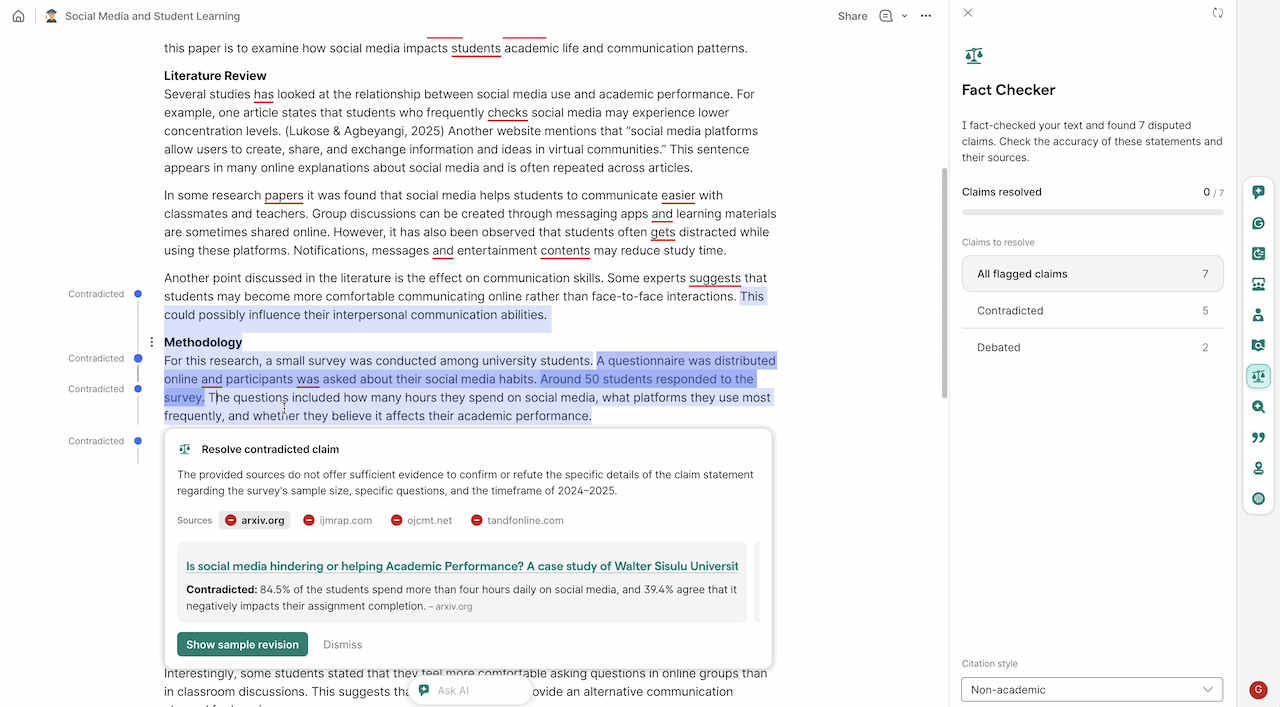
I wanted to see if it actually works. I wrote a 1,200-word article draft and planted 12 deliberately false/distorted claims — ranging from wrong founding dates to invented statistics.
I ran the draft through Grammarly’s Fact Checker without marking which sentences were fake. Here’s the result:
| Fake Claim I Inserted | Actual Truth | Grammarly Result |
|---|---|---|
| Grammarly was founded in 2005 in San Francisco. | Founded: 2009, Kyiv, Ukraine | ✅ Flagged — suggested 2009 & Ukraine |
| OpenAI’s GPT-4 was released in November 2022. | Released: March 2023 | ✅ Flagged — suggested March 2023 |
| The global grammar software market is worth $9.2 billion. | No verified figure exists | ✅ Flagged — could not verify source |
| Grammarly has over 40 million daily active users. | Widely reported: ~30 million | ✅ Flagged — suggested 30M |
| ProWritingAid was acquired by Grammarly in 2023. | Completely false | ✅ Flagged — found no evidence |
| The average blog post is 3,200 words long. | Industry data: ~1,400–1,500 words | ✅ Flagged — disputed the statistic |
| Shakespeare wrote 42 plays | Correct figure: 37 | ✅ Flagged — suggested 37 |
| ChatGPT reached 100 million users in 2 weeks. | Correct: 2 months | ✅ Flagged — suggested 2 months |
| NVIDIA’s H100 GPU contains ~40 billion transistors, designed for AI workloads. | Correct: 80 billion | ❌ Missed — no flag raised |
| Amazon’s AWS holds about 53%+ of the global cloud market share. | Actual: 30%+ market share | ❌ Missed — inflated number passed |
| Data centers can use over 1.0 million liters of water per day for cooling. | Actual: 1.5 million liters | ❌ Missed — no flag raised |
| Netflix alone accounts for about 20% of global internet traffic during peak hours. | No standard figure; highly variable | ❌ Missed — accepted vague claim |
Analysis: The Grammarly Fact Checker is genuinely impressive on well-documented public facts — dates, names, and major product releases. It falls apart on niche industry statistics and claims that are plausible but wrong by a margin. Do not rely on Grammarly for niche SaaS market data or industry-specific numbers without manually verifying.
Grammarly Pro vs ChatGPT: Why Pay for Proofreading?
The biggest question I get from my blog readers is: “Why should I pay $144/year for Grammarly Pro when ChatGPT can proofread my text for free?”
Honestly, a few months ago, I asked myself the same question.
But then Grammarly completely changed its entire platform. They stopped being just a “spell checker” and quietly turned into a full AI Workspace that does things ChatGPT absolutely cannot do.
Here’s a comparison between Grammarly Pro and ChatGPT Plus.
| Feature | Grammarly Pro | ChatGPT Plus |
|---|---|---|
| Primary Goal | Targeted tools for specific tasks (Proofreader, citations, grading, plagiarism detector, etc.) | One large LLM model that handles everything via prompting (creates high-volume content from scratch) |
| Fact Checker | Scans your draft for claims and cross-references live web data in real-time. | You must ask ChatGPT to “verify” or “check sources” using its search tool. |
| Citation Finder | Finds legit sources for your claims and generates APA/MLA/ Chicago citations on the fly. | Provides links if asked, but formatting and finding “legit” sources need a manual prompt. |
| AI Humanizer | remove AI buzzwords to bypass AI detection, and rewrite it to sound like a natural human writing. | Needs specific prompts, “write like a human”; output often remains robotic, wordy, and boring |
| Reader Reactions | Predicts how an audience (e.g., “Skeptical Executive”) will feel about your writing tone. | You can ask it to “roleplay as a critic,” but it doesn’t have a dedicated feedback rubric. |
| AI Grader | It analyzes your post against specific goals (SEO, Academic, or Brand) and gives a score. | Gives a qualitative review but lacks a standardized “grade” system. |
| Workflow | Directly integrates with your browser, Slack, and MS Word. No copy-pasting required. | Most work happens inside the ChatGPT “Canvas” or chat box. Need manual copy-pasting. |
| Plagiarism Detection | Yes, scans your text against billions of web pages and academic papers (like ProQuest). | No. ChatGPT can’t check for plagiarism |
| AI Detection | Yes, to check your own work’s “AI-generated” before publishing. | No. ChatGPT doesn’t offer any “AI text detection” features. |
| Legal/Trust | Can generate a log proving which parts were human vs. AI-generated. | Black Box: No native way to “prove” your manual writing history. |
I use Grammarly Pro instead of ChatGPT for one main reason: ChatGPT is terrible for my daily workflow.
For example, if I need to edit an email with ChatGPT. First, I need to open the ChatGPT tab, copy my email, and write a prompt: “Proofread this and fix the writing errors”. Then, I realized ChatGPT completely rewrote my email, and it looks robotic. Then I prompt it again to “make it sound more like me,” and then copy-paste it back into your email. Doing this 20 times a day is exhausting.
On the other hand, Grammarly perfectly integrates with my browser. I don’t need any prompts to proofread my email. If I need a rewrite, I need to select the sentence, and with a single click, Grammarly will rewrite it, while preserving my writing tone.
Bottom Line: As of now, I use ChatGPT to brainstorm and generate my messy first draft. Then I use Grammarly Pro to polish that draft into a publishable masterpiece for my work.
New Grammarly AI Tools: What They Do & Why They Matter?
Grammarly recently underwent its biggest transformation since its inception. If you open the new Grammarly editor, you’ll immediately notice the sidebar has completely changed. It’s now split into a massive suite of AI agents.
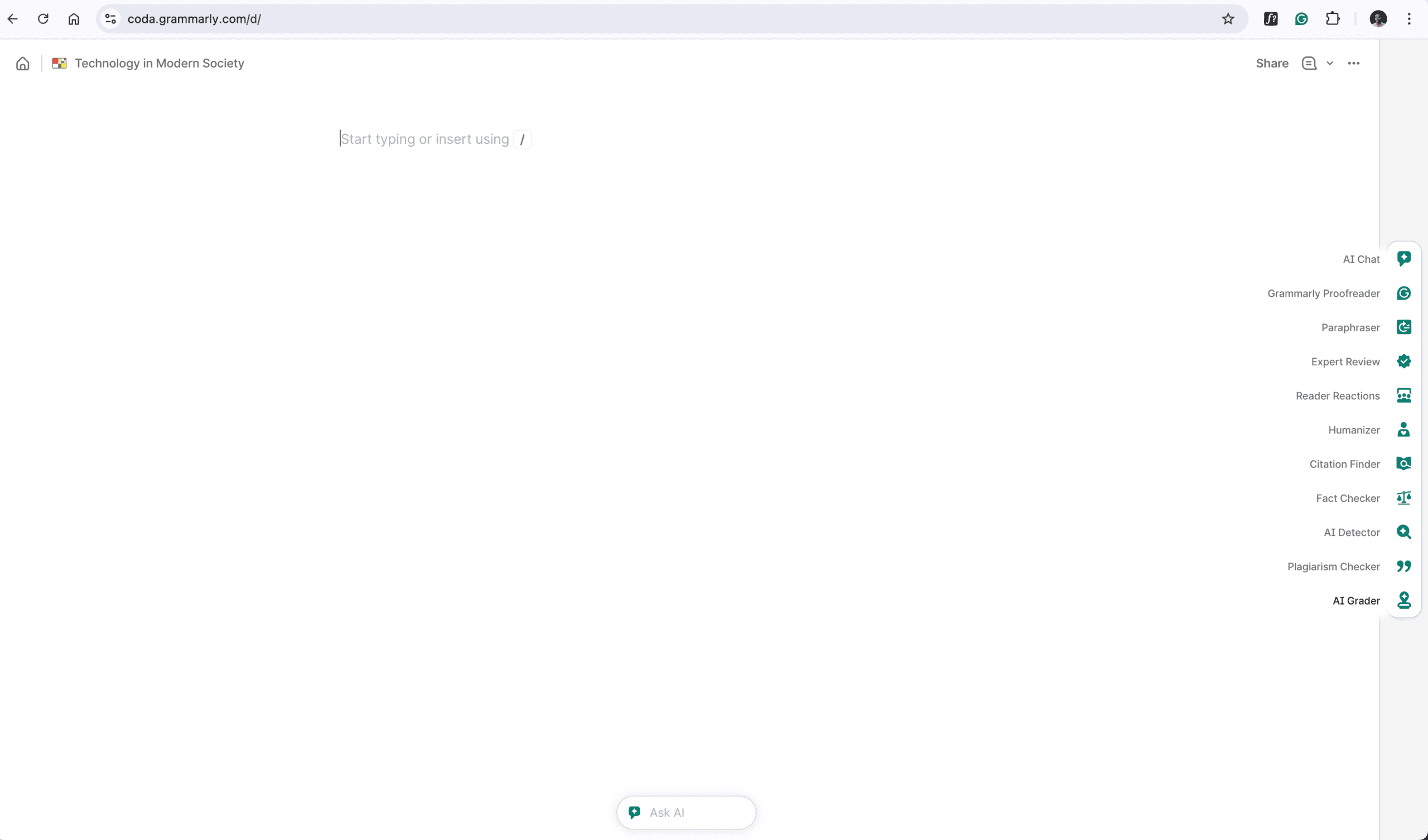
One Grammarly new AI feature was so controversial that it triggered a class-action lawsuit on 11th March 2026. Let’s break down exactly what these do & why it’s important for your writing journey.
1: AI Chat
As the name suggests, it works like a built-in AI assistant that reads your document and gives you suggestions based on your writing. It is much faster than switching back and forth between Grammarly and ChatGPT.
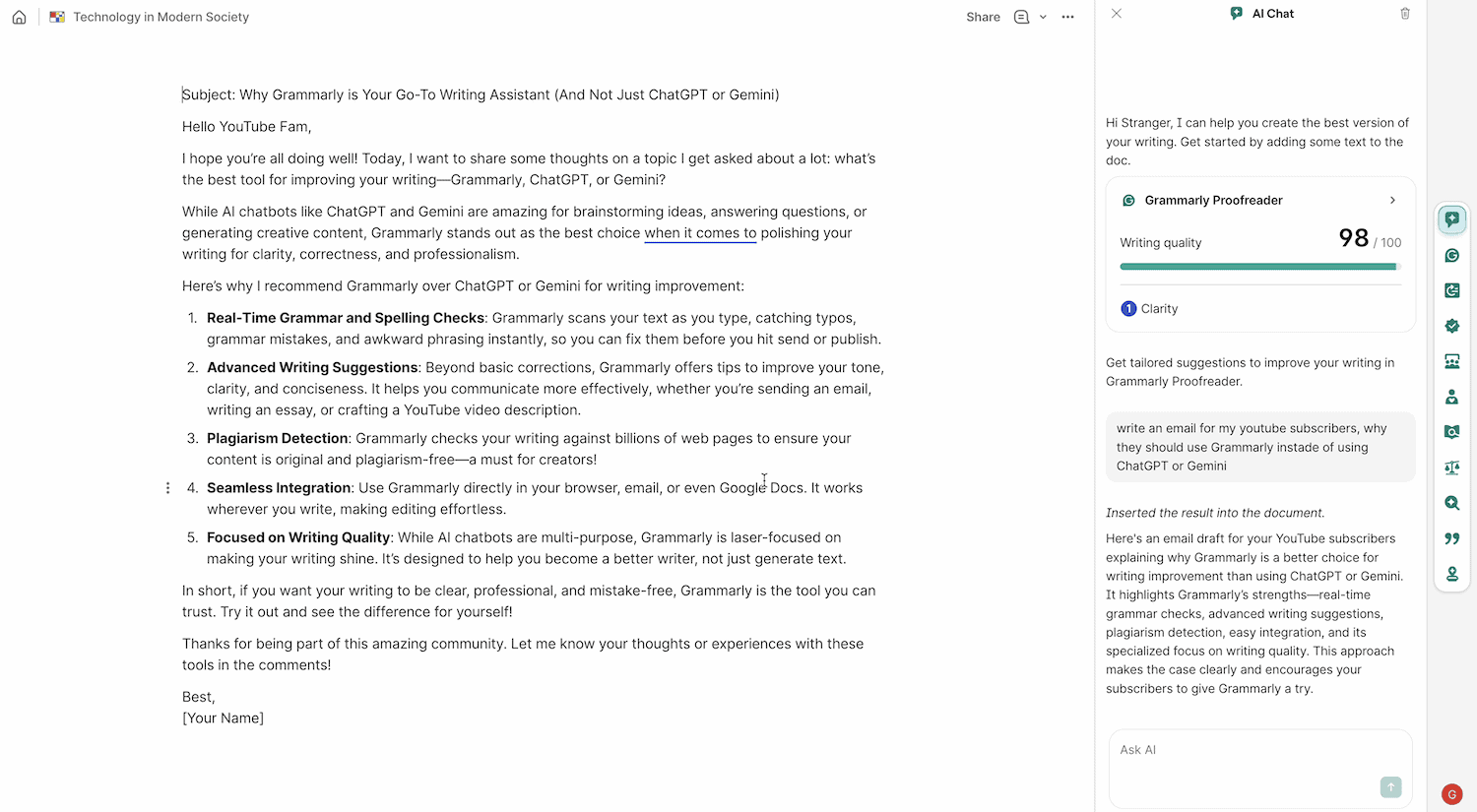
Instead of staring at a blank screen, you can now have a full conversation with your document. Unlike ChatGPT, it lives inside your document and can read and understand what you’ve already written. You can ask it to generate an outline, brainstorm titles, or even write a difficult paragraph from scratch.
2: Grammarly Proofreader
But writing the first draft is the easy part. Where Grammarly actually shines is the proofreading. The Grammarly Proofreader is still the best in the business. It catches the advanced typos, missing commas, and subtle context errors that other AIs miss.
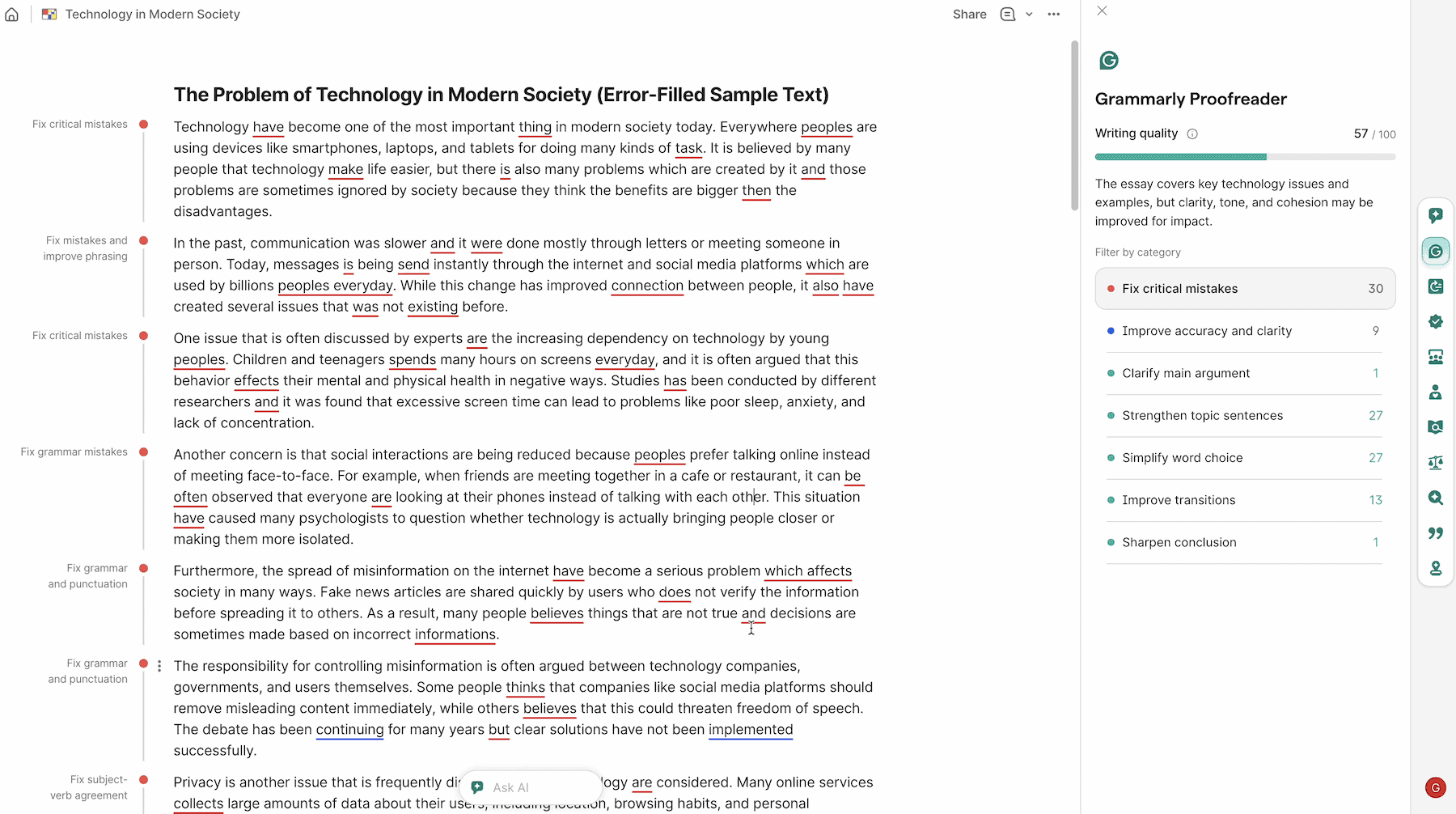
For example, if you are writing a legal document, it suggests formal corrections. If you are writing a story, it focuses on the flow and the descriptive language. It makes the editing process feel like you have a professional editor sitting right next to you.
3: Paraphraser
If you write a sentence and think, “That sounds weird, feels clumsy, but I don’t know how to fix it.”
With Grammarly paraphraser, you just highlight the text and click to rewrite. Within three seconds, it strips out all those annoying AI buzzwords and rewrites them to sound like an actual human being.
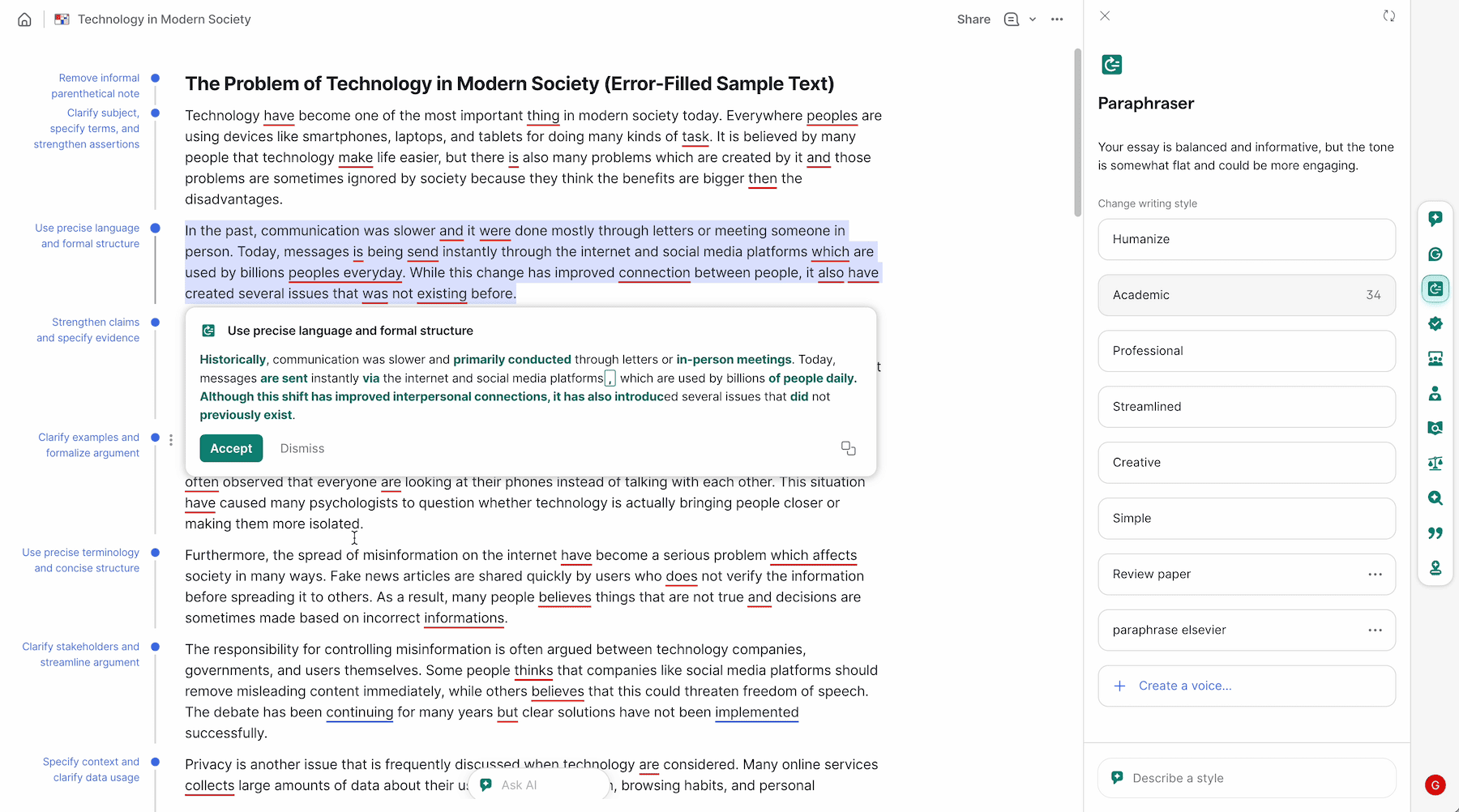
It will give you 3-4 different ways to rewrite it – making it shorter, more professional, or more friendly. It gives you multiple writing tones for the same thing.
You can set your writing style to Academic, Professional, Humanize, etc. In the new version, it can even paraphrase into multiple languages in real time. It is the perfect way to fix ‘wordy’ writing without losing the original context of your ideas.
4: Expert Review
Now, I have to talk about the most controversial feature: Expert Review.
With this AI agent, you can literally tell Grammarly to read your document from the perspective of a CEO, a tech journalist, or a legal expert. It will look at your logic and tell you if your arguments are actually convincing.
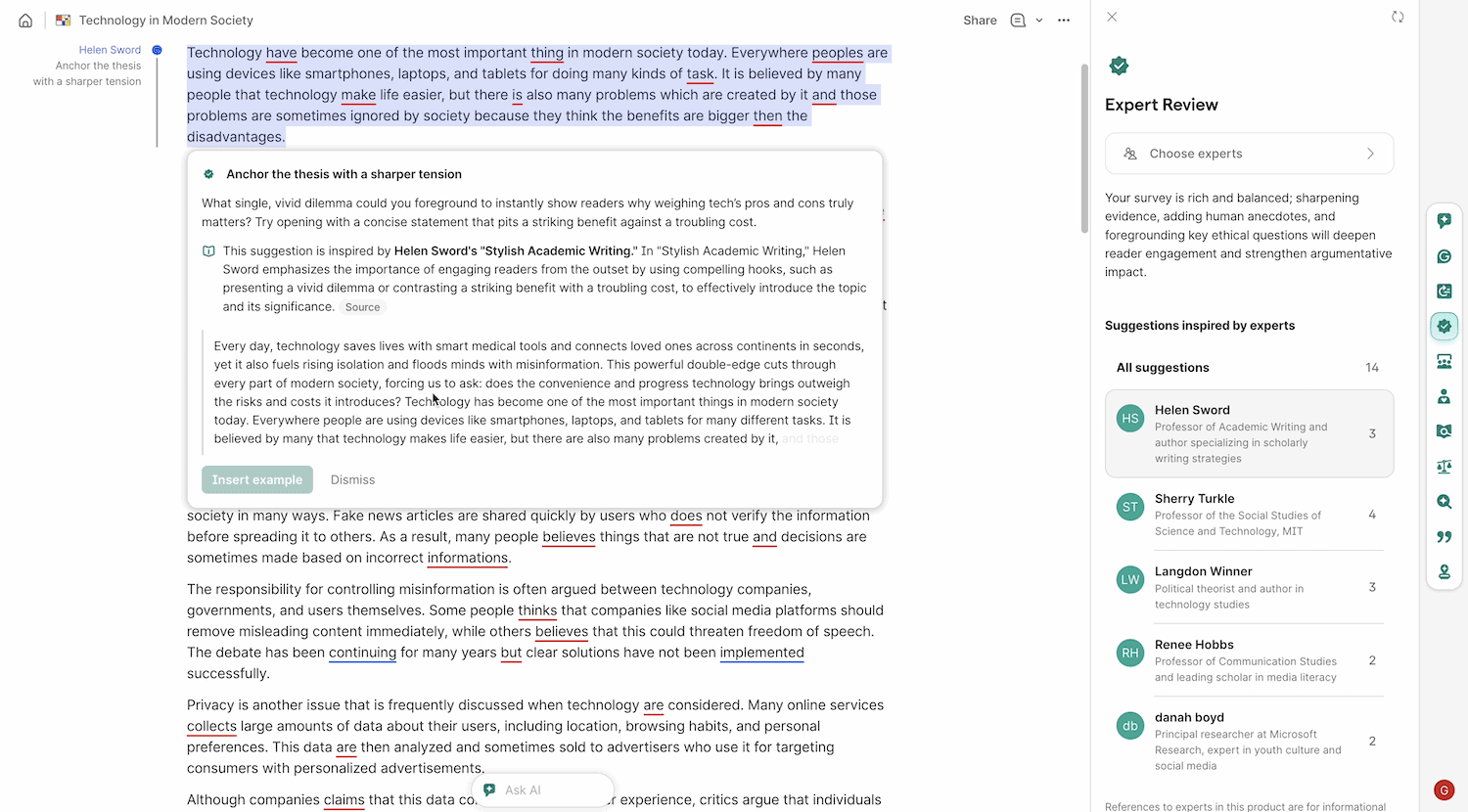
On March 11, 2026, a massive class-action lawsuit was filed against Grammarly’s parent company, Superhuman.
Investigative journalist Julia Angwin and famous authors like Stephen King found out the AI was impersonating their writing styles without their consent. They are suing because Grammarly used their names and reputations to sell their Pro subscription.
Because of this lawsuit, Grammarly has officially disabled the feature while they figure out the legal mess. It’s a huge warning about the ethics of AI impersonation.
5: Reader Reactions
In my experience, Grammarly’s “Reader Reactions” is a game-changer for anyone who worries about how they sound. Grammarly scans your draft and predicts how your audience will feel. It will literally warn you if your email sounds “too aggressive” or if your intro is “too boring.”
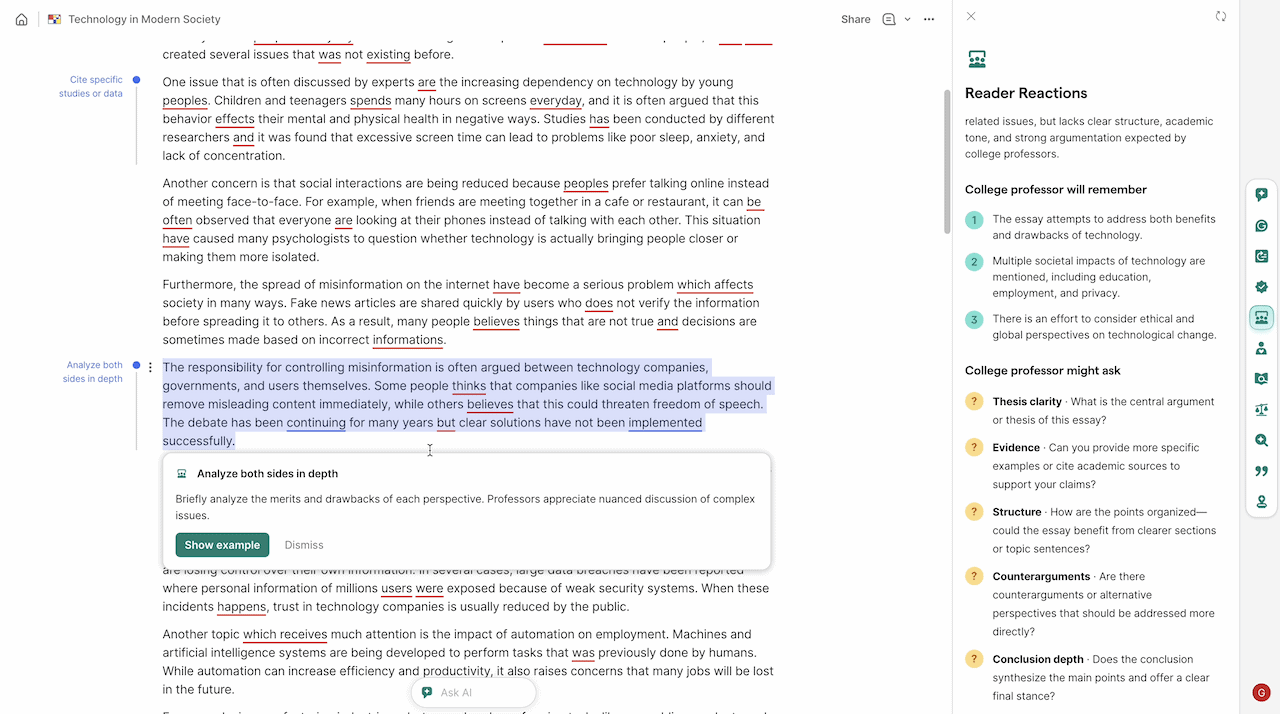
It gives you a breakdown of your ‘Writing Tone’ so you can adjust your words before you hit send. It’s like having a focus group check your work before anyone else sees it.
6: Humanizer
With so much AI content online, everyone wants their writing to sound real and human-written. The Grammarly Humanizer identifies repetitive AI patterns and rephrases them to sound natural, varied, and truly human.
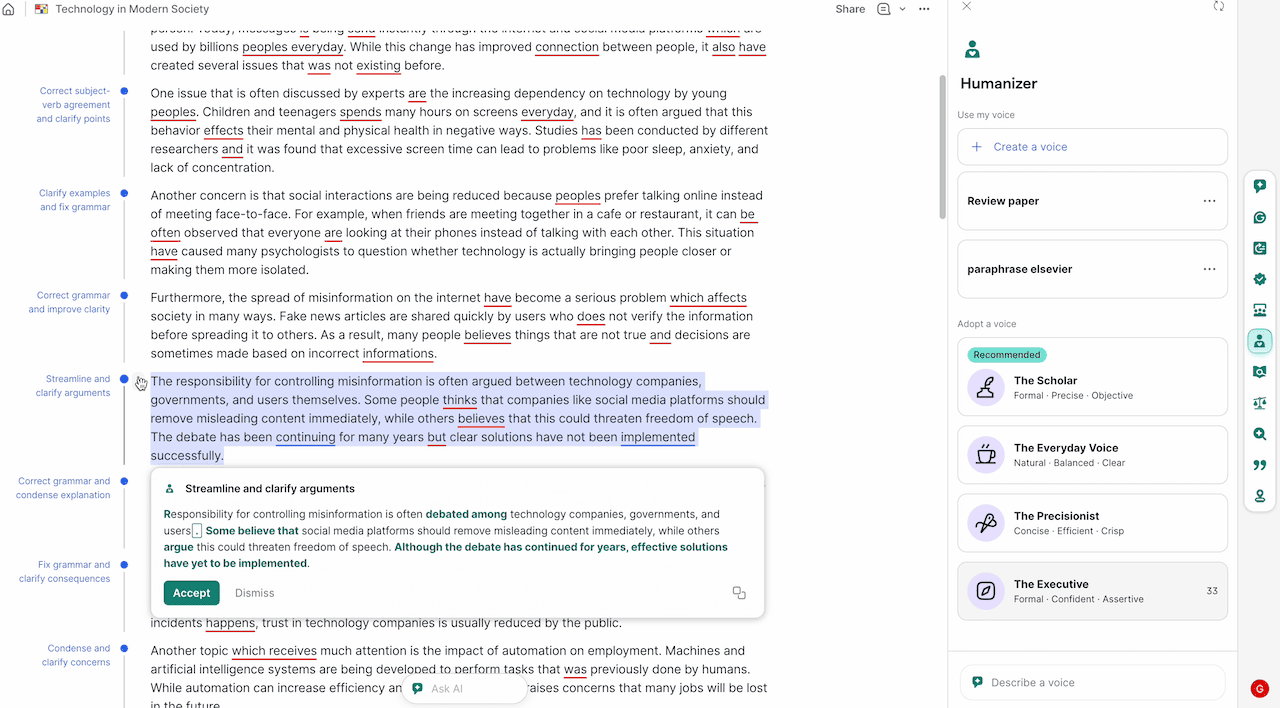
The Humanizer scans your text, rips out the obvious AI buzzwords, and rewrites it to sound like a real, breathing human wrote it. It offers different voices, like “Everyday Voice”, “The Executive”, or “The Scholar,” so you can match the exact vibe you want. It’s designed to help you avoid your writing being flagged as AI-generated.
7: Citation Finder
For anyone doing research or writing a thesis, the Grammarly Citation Finder is a lifesaver. If you state a fact or a number, Grammarly automatically scans the internet to find where that information came from.
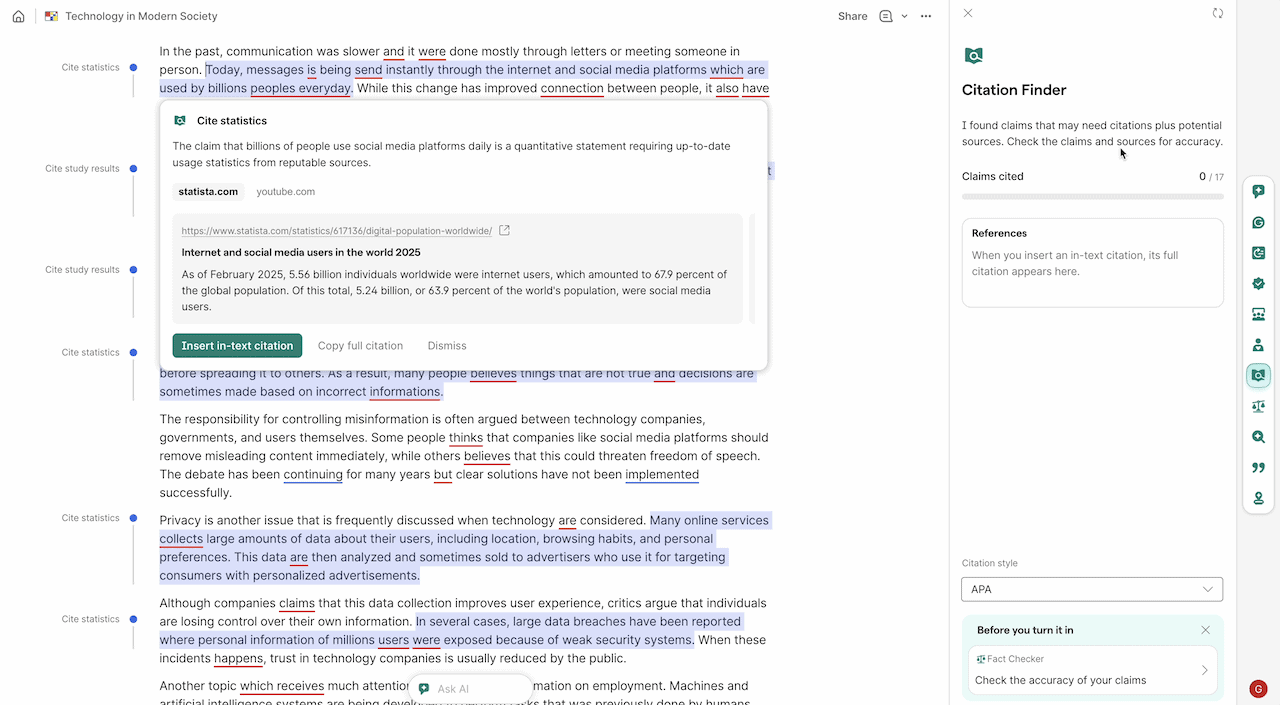
It automatically detects when you’ve used a quote or an external fact. Once it finds the source, it builds the citation for you in APA, MLA, or Chicago style with a single click. With Grammarly, you don’t have to spend hours formatting your bibliography anymore. It ensures your work is credible and that you are giving credit where it is due.
8: Fact Checker
AI is known for making things up, but this tool is the fix. It cross-references every claim in your document against trusted databases and news sources. If you get a date wrong or misquote a statistic, the Fact Checker flags it in red. It keeps you from publishing embarrassing mistakes and helps build trust with your readers.
9: AI Detector
In 2026, Grammarly’s AI-generated test detector tool will be very important for students and professional writers. It gives you a percentage score indicating how much of your text appears to be AI-generated.
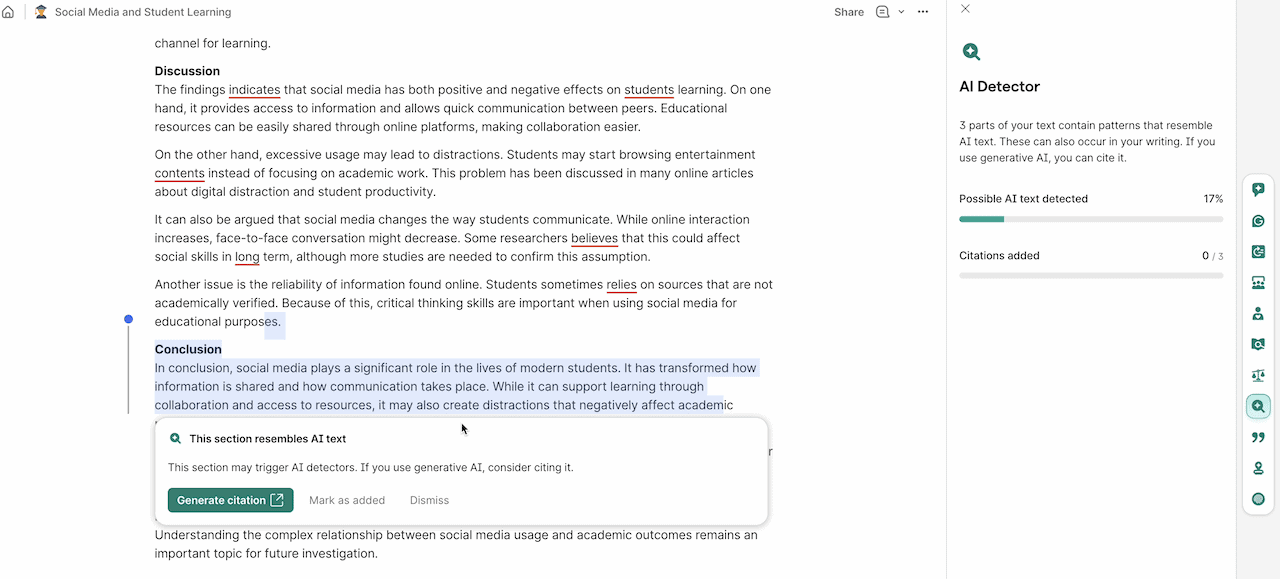
In my experience, it works with 70% accuracy. This tool tells you which parts of your document look like they were generated by AI. It helps you stay transparent with your editors or teachers and avoid being “flagged” by external AI checkers.
It helps you find AI-generated sections, so you can rewrite them in your own voice. This is the best way to make sure your work passes the strict AI filters used by schools and publishers today.
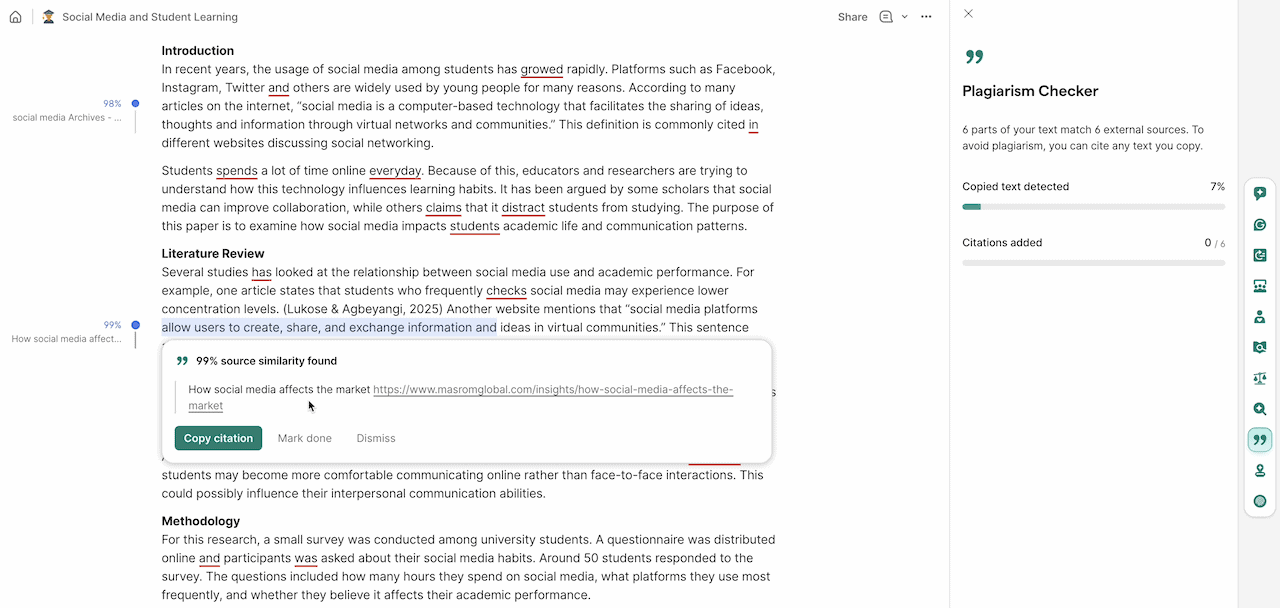
10: Plagiarism Checker
Grammarly’s Plagiarism Checker is still the gold standard and best in the industry. It checks your writing against 16 billion published web pages and millions of academic papers stored in ProQuest’s databases (the broadest single research resource globally). It gives you a full report with links to the original sources, so you can be 100% sure your content is original and safe to post.
11: AI Grader
Finally, there is the AI Grader, and this is a game-changer for students. You can upload a grading rubric, and Grammarly automatically grades your paper before you turn it in.
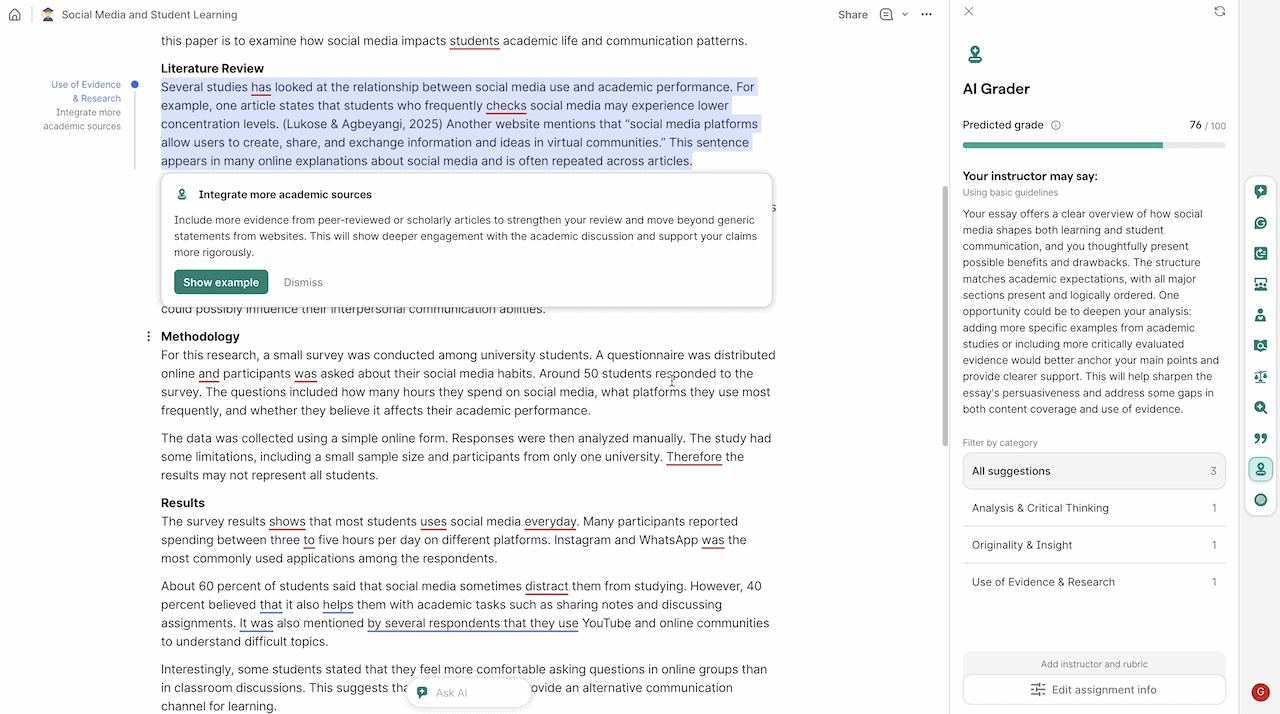
It gives you an estimated score out of 100 and tells you exactly what to change to get a higher grade. It’s the ultimate quality-control check for writing. Even if you’re not a student, you can also set your goals like “Write a viral blog post” or “Submit a research paper”, and the AI grades you on how well you hit those targets.
Pros and Cons Of Using Grammarly
I’ve been using the new Grammarly editor and all AI agents daily. Here is exactly what I like and what I don’t, based on my actual workflow.
Why You Should Use Grammarly? (Pros)
- No more prompting: I don’t have to write a 50-word prompt to get a good rewrite. Also, I don’t have to copy-paste into a chat box anymore. It works directly in my WordPress dashboard and Gmail.
- The Fact Checker is real: It caught two wrong dates in my last draft. It actually checks live data to see if I’m wrong.
- The AI Grader: It gives me a score out of 100. It’s a great way to know if a post is actually finished or if I need more edits.
- Transparency: The Authorship Report is a must-have for proof of original work.
- E-E-A-T Friendly: For bloggers, the automated citations and fact-checking are a massive time-saver.
Why You Shouldn’t Use Grammarly? (Cons)
Below are a few reasons I think you should avoid upgrading to the Pro Version.
1: You Are a Creative Writer (Fiction/Poetry)
Grammarly is built for logic and “grammatical correctness,” which is the opposite of artistic prose. If you are writing a novel, poetry, or a screenplay, Grammarly will often try to “fix” your unique rhythm, sentence fragments, or intentional slang. If you blindly accept Grammarly’s suggestions, your unique writing style may be stripped away, leaving you with writing that sounds robotic and sterile.
2: You Work with Highly Sensitive or Classified Data
When you use Grammarly, you are essentially allowing a third party to “read” every keystroke to provide suggestions. And in their recent update, your data may be used to train their AI models unless you manually opt out in Grammarly settings.
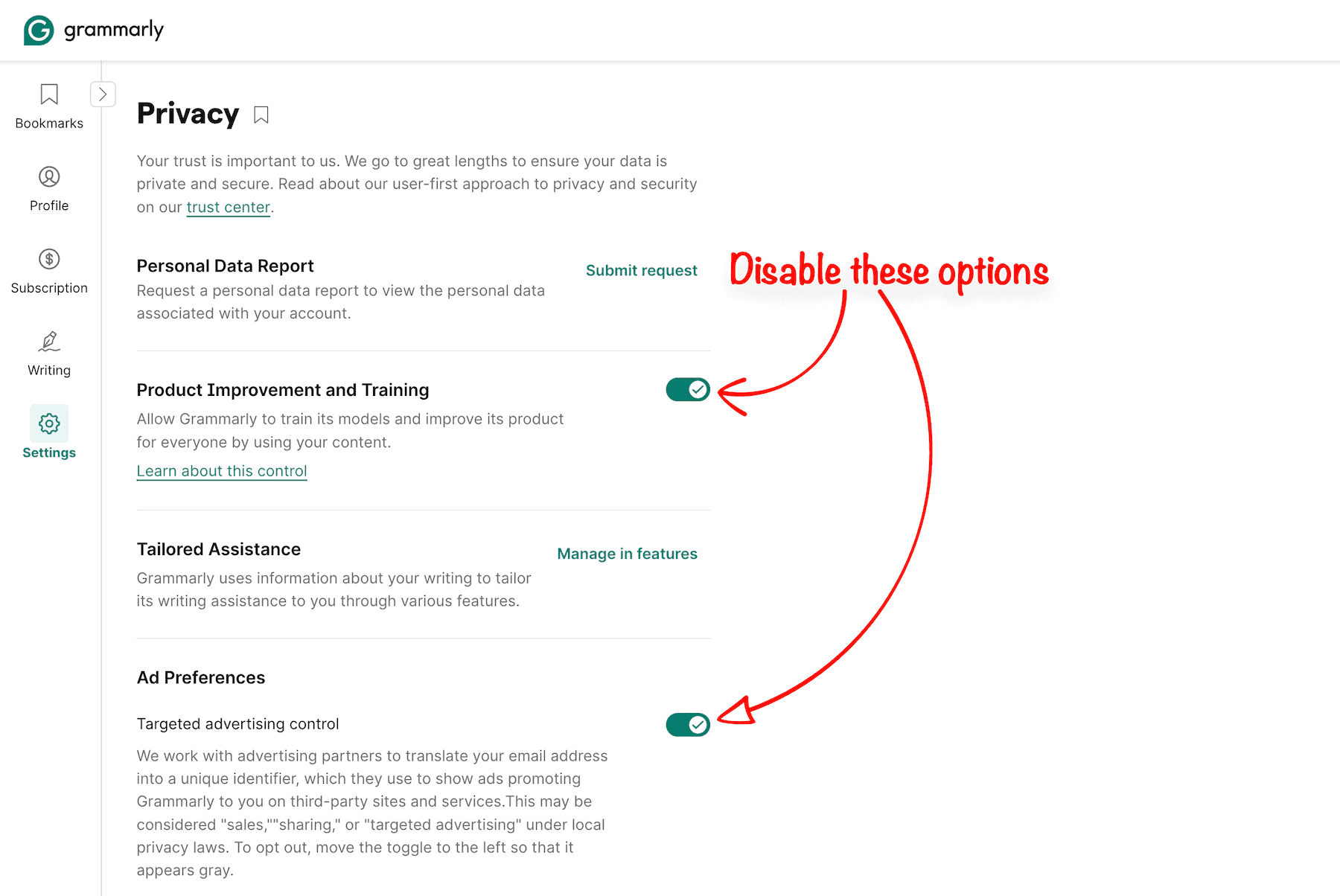
While Grammarly has robust security standards (SOC 2, HIPAA compliance), it is still a cloud-based service. If you are a lawyer drafting strict NDAs, a doctor handling patient records, or you work with government high-level R&D, having cloud-based AI tools poses a major security risk.
Unlike LanguageTool, Grammarly does not offer a self-hosted “local” version. In some niche cases, the risk of data processing might violate your organization’s strict compliance policies.
3: Prohibitive Cost for Casual Users
If you only write a few emails a week or the occasional social media post, or write in a journal, $30 a month (or $144 a year) is a massive expense.
You do not need “Executive-level tone adjustments or AI Grader” for a Reddit post. If your writing doesn’t have a financial or academic return on investment, stick to the free plan.
For casual use, the Grammarly free version is more than enough, 90% of what you need. Paying for a Pro subscription is only “worth it” if you are a high-volume writer who can justify the cost as a business expense.
4: The AI Detection Problem (The Major Drawback)
Grammarly Pro is nearly perfect as a plagiarism detector. But AI Text Detector is currently its biggest weakness. It consistently struggles with significant “Generate AI text detection” accuracy issues, which can be a headache for students and content creators.
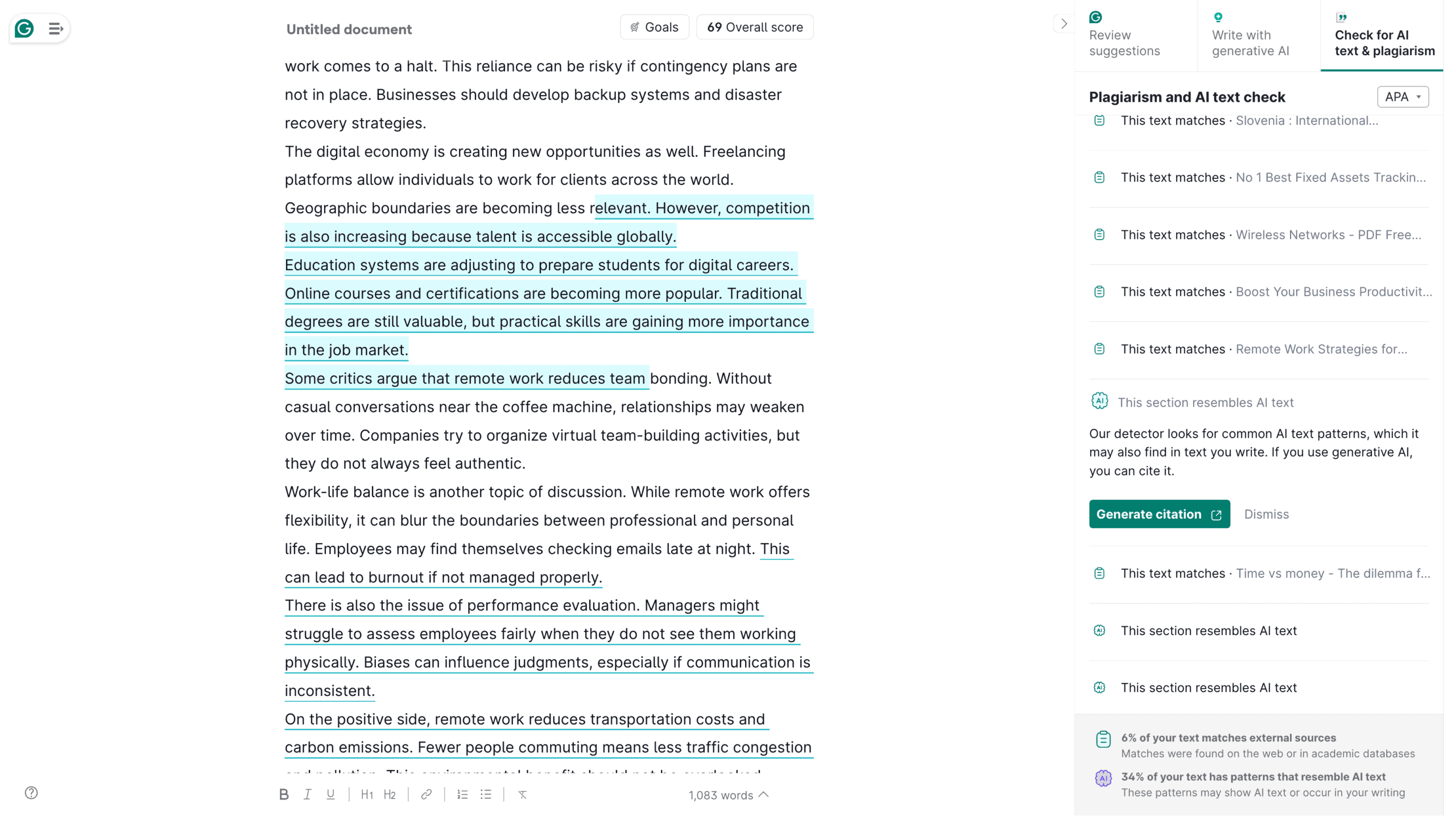
It often flags perfectly human writing as “AI-generated” when it is highly structured, technical, or formal. Ironically, using Grammarly’s own “Clarity Rewrites” features actually increases your AI detection score. In my experience, it catches older GPT-3.5-generated text easily, but it frequently misses advanced models like GPT-4 or Claude 3.5, giving you a false sense of security.
5: The Strict “No-Refund” Policy
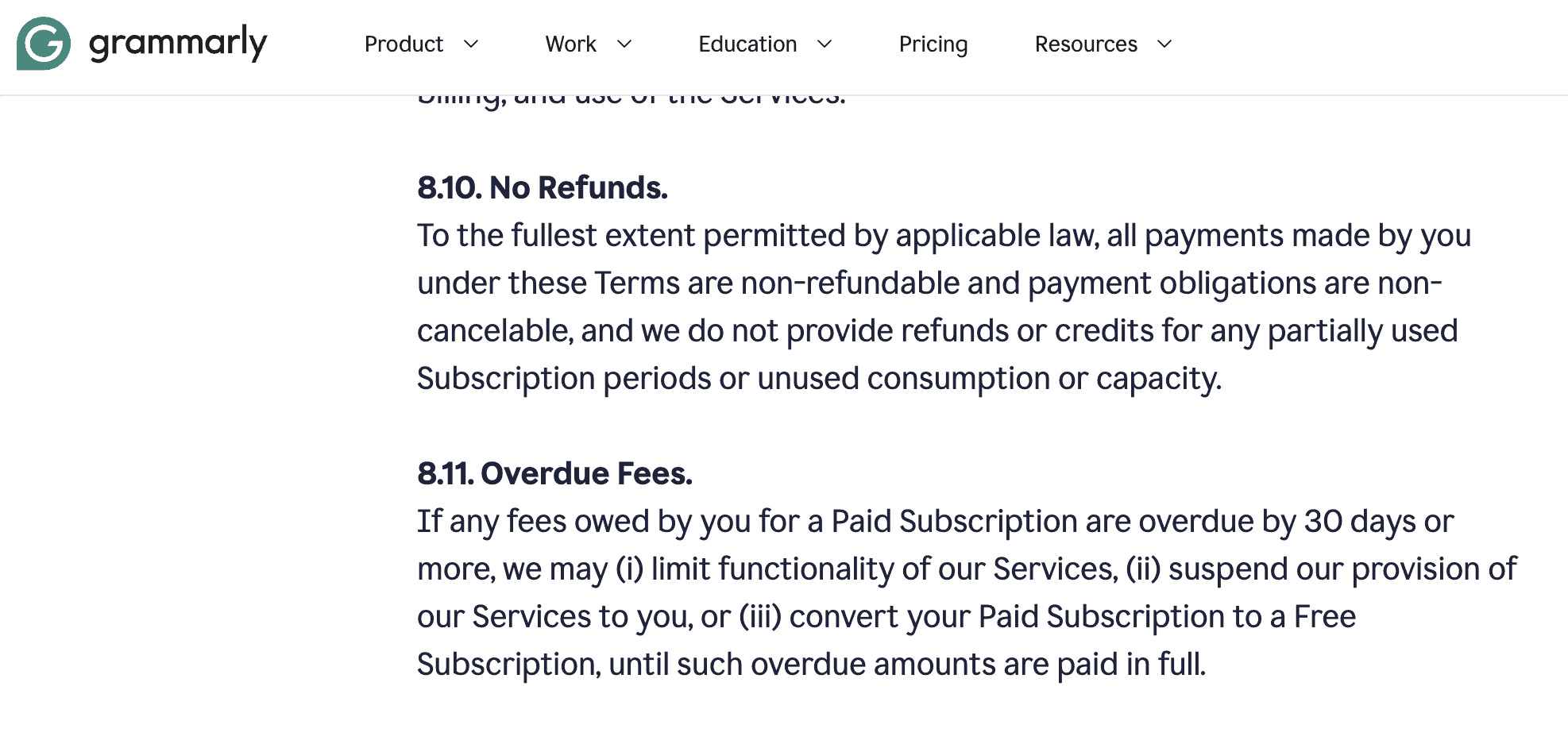
Grammarly has a strict “no-refund” policy from the start, except if you bought twice in the same account. If you sign up for the $144 annual plan and realize after two weeks that it isn’t for you, getting your money back is nearly impossible. There is no “free trial” for Pro, so you have to commit 100% upfront.
6: Aggressive “Push-to-Pro” Marketing
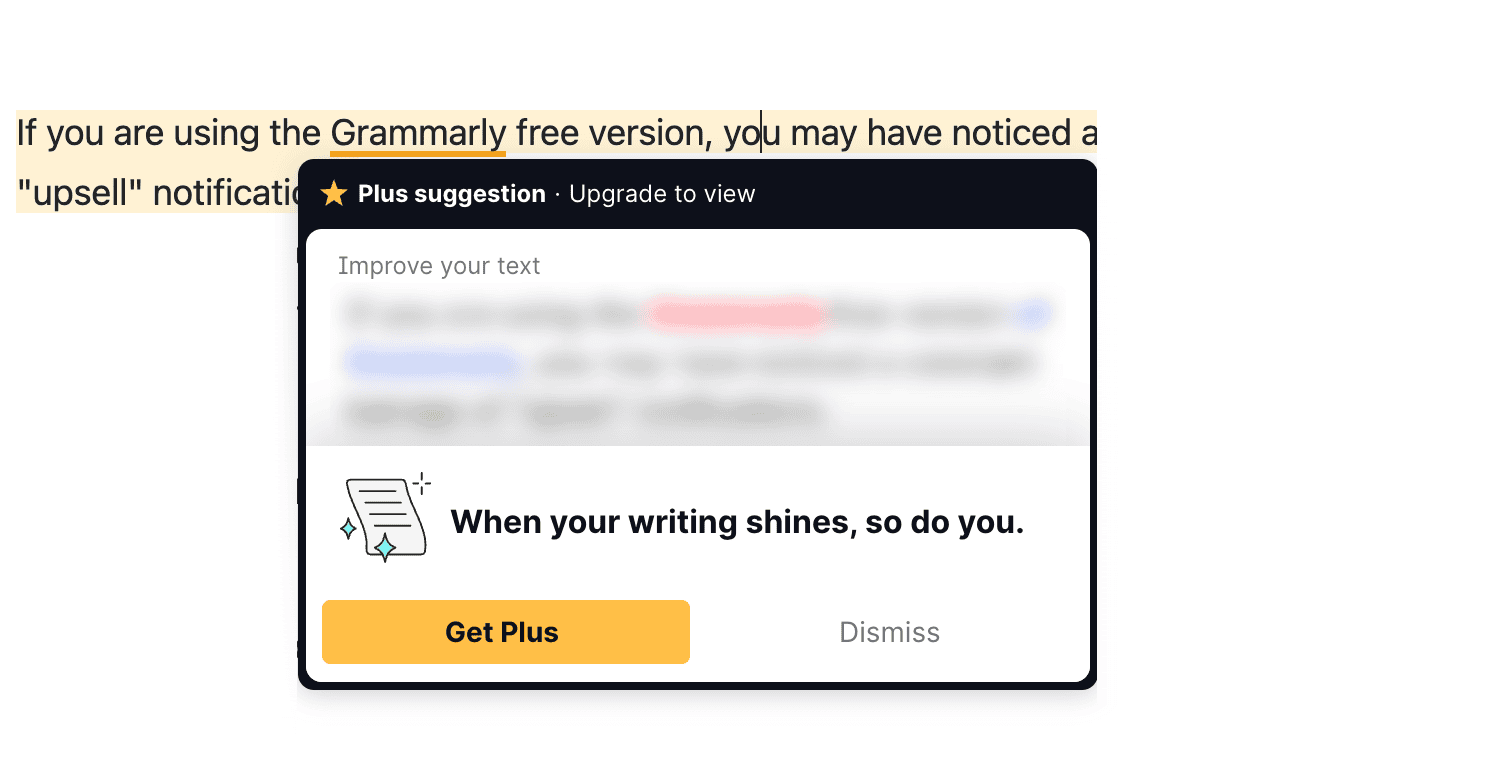
If you are using the free version of Grammarly, you may have noticed a constant barrage of “upsell” notifications. Grammarly is notorious for its intrusive pop-ups and “hidden” suggestions that only reveal themselves once you pay. Even as a Pro user, I occasionally see nudges use their latest Superhuman integrations, which can clutter your writing workspace.
7: The “Superhuman” Bloat & Rebranding
Since Grammarly rebranded to Superhuman, it has become significantly “bloated.” It now tries to manage your email, calendar, schedule your meetings, and “Expert Review” your work using AI bots.
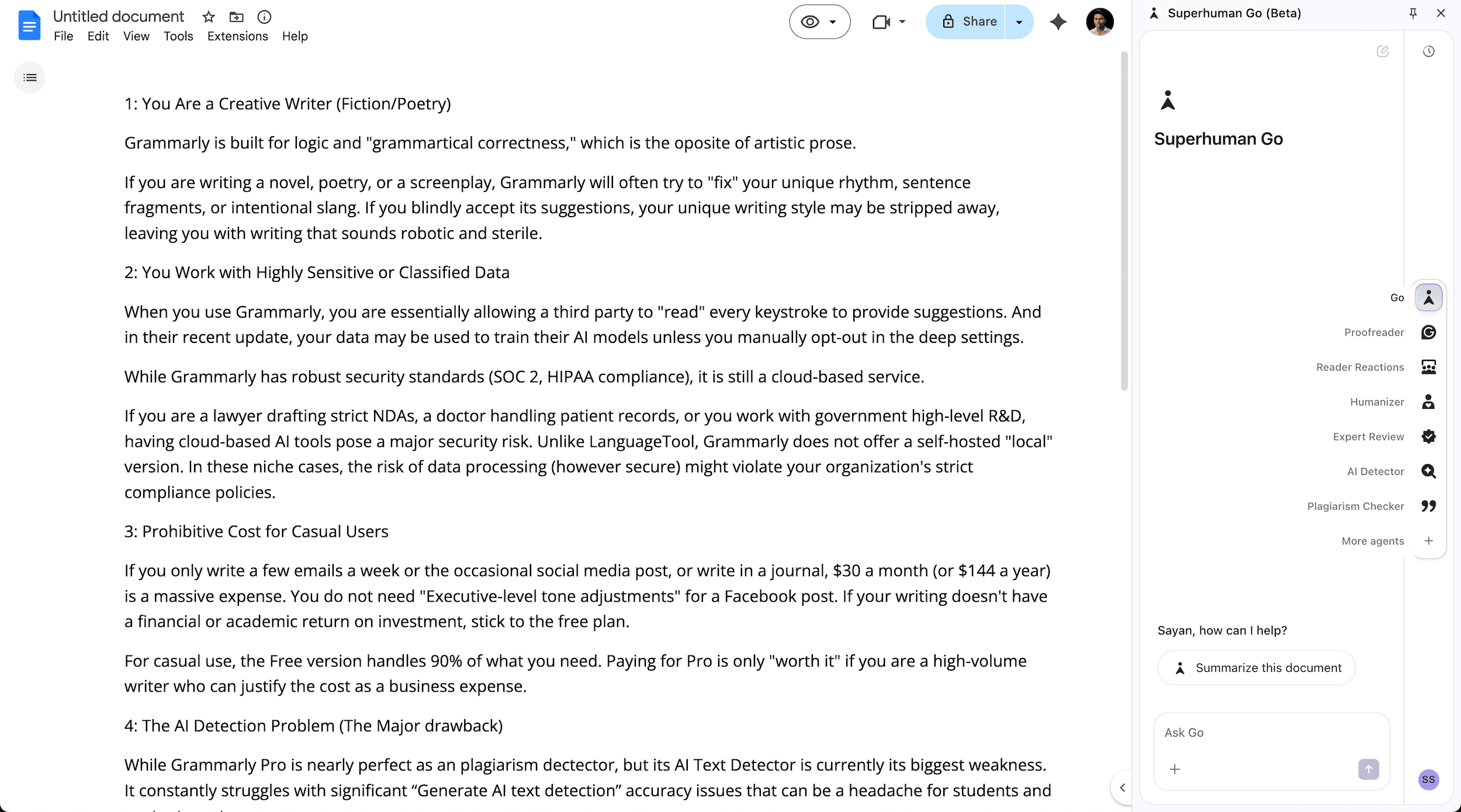
I feel Grammarly has moved away from being a “best writing assistant” tool to being an intrusive “productivity OS” that takes over your entire browser. You can disable your Chrome/Firefox extension, but it feels like Grammarly is constantly fighting to pull you back into the ecosystem (Superhuman Go).
Grammarly Pricing & Plans Breakdown
Grammarly recently rebranded and merged its “Premium” and “Business” plans into a single plan called “Grammarly Pro“. This means individual users now have access to Grammarly Business Plan features, such as Style Guides and Team Management.
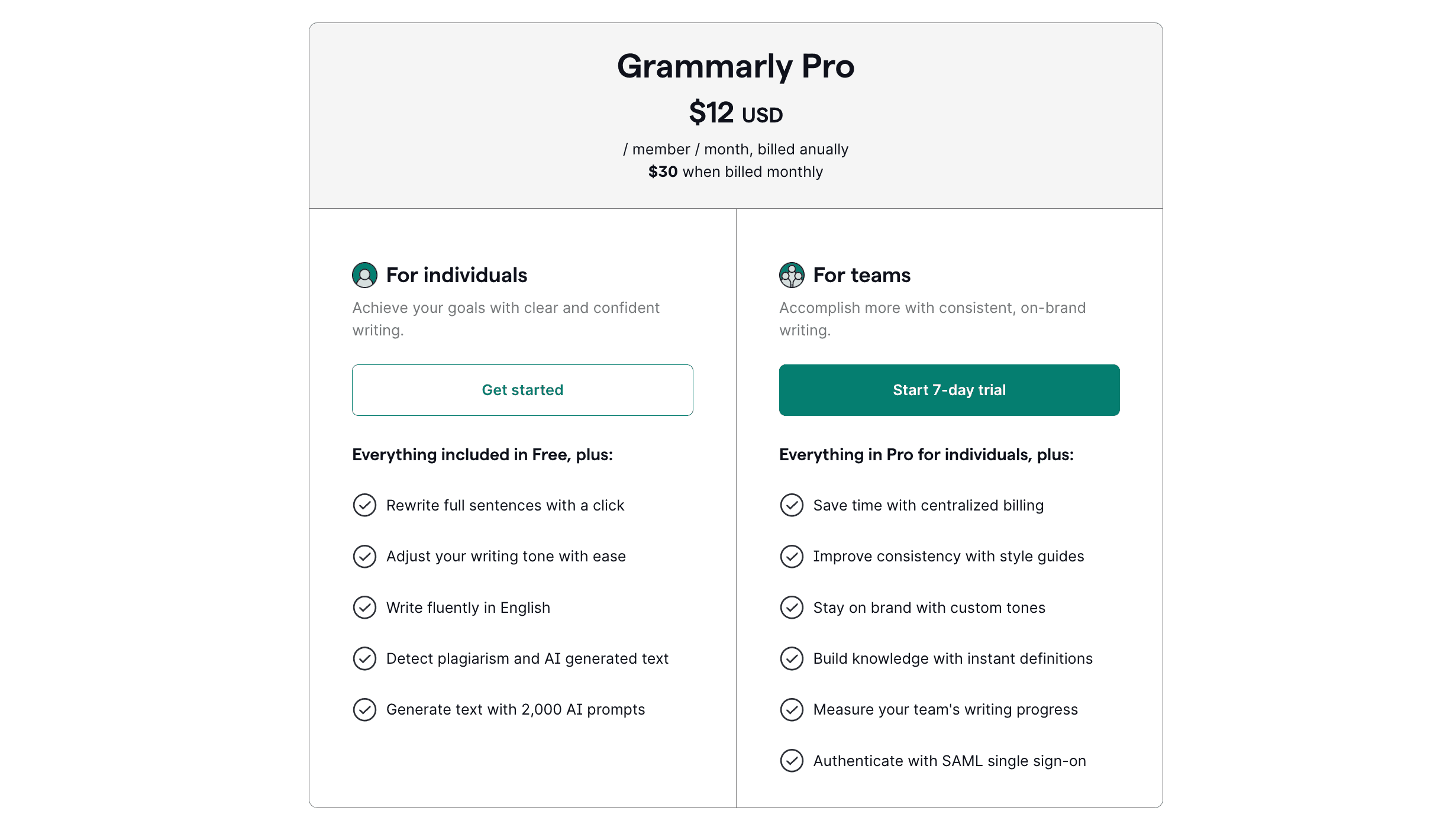
The Grammarly Pro pricing structure is designed to reward long-term commitment. While the monthly cost is steep, the annual plan remains the “sweet spot” for most professional users.
| Plan | Price | Billing Cycle | Best For |
|---|---|---|---|
| Monthly | $30/month | Billed Monthly | Short-term projects or testing. |
| Quarterly | $20/month | Billed every 3 months ($60) | Users who want flexibility. |
| Annual | $12/month | Billed Yearly ($144) | Serious professionals & veteran writers. |
Note: If you add team members to your Pro account, pricing scales per seat according to the rates above.
Grammarly Free vs. Pro plans Breakdown
The core difference between the Grammarly free & pro plans is Correction vs. Creation.
Grammarly Free version is a reactionary tool. When you write your article, Grammarly automatically points out your basic spelling, punctuation, and grammatical mistakes.
The Grammarly Pro version is more like a proactive partner. It helps you rewrite sentences, generates text from scratch, checks for plagiarism, detects AI-generated text, and manages your writing tone.
Here’s a comparison table between Grammarly’s free and pro subscriptions.
| Feature | Grammarly Free | Grammarly Pro |
|---|---|---|
| Grammar & Spelling check | Yes (Basic) | Yes (Advanced + Consistency) |
| Tone Detection | Basic labeling | Advanced swapping & adjusting |
| Enterprise-grade privacy | No | Yes |
| Full-Sentence Rewrites | No | Yes (Clarity & Fluency) |
| Generative AI Prompts | 100 per month | 2,000 per month |
| Plagiarism Checker | No | Yes (Scans 16B+ sources) |
| AI Text detection | No | Yes |
| Team & Style Guides | No | Yes (Up to 149 team members) |
| Best For | Casual, everyday writers | Students, Professionals, Teams |
Best Grammarly Alternatives in 2026
Grammarly is the undisputed market leader, but it is not a monopoly. Depending on your writing style, budget, privacy needs, or the specific type of work you do, another tool might be a better fit.
For instance, fiction writers often find Grammarly too rigid. Furthermore, many users wonder if they even need a dedicated premium writing assistance tool when they can ask a chatbot to fix their grammatical errors.
Below is a breakdown of how Grammarly stacks up against its biggest competitors, like ProWritingAid, QuillBot, LanguageTool, and ChatGPT/Gemini.
| Tool | Best For | Key Feature | Pricing | Why Choose This? |
|---|---|---|---|---|
| Grammarly | General professionals, students. | All-in-one editing, clarity rewrites, and Generative AI. | $12/mo | Best overall integration across all apps and browsers. |
| ProWritingAid | Fiction writers, authors, and long-form bloggers. | Deep stylistic reports (pacing, dialogue tags, echoes). | $10/mo or Lifetime Plans | It respects creative writing. Offers a lifetime subscription. |
| QuillBot | Students and budget-conscious users. | Paraphrasing and summarizing tools. | $8.33/mo | Cheaper than Grammarly. Incredible at rewriting and a plagiarism checker. |
| ChatGPT / Gemini | Brainstorming, heavy content generation, and vibe coding. | Raw article creation and back-and-forth conversational editing. | Free (or $20/mo) | Best for generating entire articles from scratch. |
| LanguageTool | Multilingual writers and privacy-focused users. | Supports over 30 languages. | $5/mo | Cheaper and good enough for students. |
FAQ’s About Grammarly
Below are the most common questions asked by new Grammarly users.
Is the Plagiarism Checker included in the $12/month price?
Yes, Grammarly offers unlimited plagiarism checks against 16 billion web pages and ProQuest’s academic databases as part of the Pro subscription.
Can I use Grammarly Pro offline?
No. Grammarly relies on massive cloud-based databases and advanced AI models to process its grammar rules, clarity rewrites, and plagiarism checks. It requires an active internet connection to function.
Is Grammarly safe to use with sensitive company information?
In my opinion, NO. Grammarly has a highly secure system and holds SOC 2 and HIPAA compliance certifications. But if you’re handling highly classified government data or strict legal NDA documents, don’t use Grammarly.
Does Grammarly work on my mobile?
Yes, you need to install the Grammarly Keyboard application on iOS and Android. It provides real-time grammar checks, writing tone detection, and rewrite suggestions.
Does Grammarly Pro offer a student discount?
Yes, Grammarly does offer time-to-time discounts on its pro plans, and they work for everyone. Right now, their annual Plan is effectively a 60% discount compared to the monthly price.
Does Grammarly Pro have a free trial?
Yes, Grammarly offers a 7-day free trial only for the “Grammarly Pro for teams” plan. However, for an individual plan, Grammarly doesn’t offer any free trial.
Is Grammarly Pro worth it for students?
Absolutely, Grammarly Pro includes advanced grammar checks for academic papers, AI-powered citation formatting, and a plagiarism checker. It’s one of the best writing assistance tools a student can invest in to secure better grades.
Can Grammarly detect AI-generated text?
Yes, Grammarly includes an AI detection feature that helps you identify AI-generated text, which is incredibly useful for editors, teachers, and managers reviewing content.
Final Verdict: Is Grammarly Pro Worth the Upgrade?
After seven years of testing every Grammarly update, here is my honest “unfiltered” conclusion: Grammarly Pro is a tool for the Professional, not the Artist, or anyone who writes for a living.
While the Grammarly AI detector is hit-or-miss, you aren’t paying $12/month for an AI detector – you’re paying for a comprehensive writing assistant & plagiarism checker.
In my experience, Grammarly’s real value lies in the Plagiarism checker, writing tone adjustment, & Generative AI. These features alone act as a high-level writing assistance tool that can save you hours of manual proofreading every week.
However, if you are a fiction writer who values unique writing or a casual user on a budget, the Grammarly Pro plan will likely frustrate you more than it helps. Between the lack of a refund policy, constant notifications, and the growing “bloat” from the Superhuman merger, you might find more value in a lighter alternative like LanguageTool.
Here’s my Overall Grammarly ratings based on the pro plans’ features:
| Category | Ratings | My Notes |
|---|---|---|
| Grammar Accuracy | 4.8/5 | The most reliable and nuanced checker on the market. |
| Generative AI | 4.5/5 | 2,000 prompts is generous; the “Writing Tone Profile” is a game-changer for me. |
| Ease of Use | 5.0/5 | Seamlessly works in browsers, MS Word, and mobile. |
| Value for Money | 4.4/5 | Great at $12/mo (Annual); feels expensive at $30/mo (Monthly). |
| Plagiarism Checker | 5.0/5 | Massive database; incredibly helpful for students, teachers, and professional writers. |
| AI Writing detection | 3.5/5 | 75% of the time, Grammarly detects AI-generated text perfectly. |
| Final Score | 4.53/5 | Highly recommended for students or any serious professionals. |
Then who should use Grammarly Pro?
If your goal is to be the most efficient, clear, and error-free version of yourself in a corporate or business setting, the Grammarly Pro upgrade is absolutely worth it. However, if I were writing my first novel tomorrow, I’d open ProWritingAid. If I were a college student on a coffee-money budget, I’d stick with QuillBot.
The bottom line: Upgrade if you write to sell or inform; stay free if you write to create.
Upgrade to Grammarly Pro PlansThat’s all for now. If you have any questions related to Grammarly Pro, let me know in the comments section.
Thank you for reading. Have a nice day.
Grammarly Pro Review
Grammarly is an all-in-one AI-based online writing assistant tool that reviews spelling, grammar mistakes, punctuation, Clarity, Engagement, and checks for plagiarism.
Price: $12/Month
Price Currency: USD
Operating System: Windows 11, macOS Tahoe, Android 16
Application Category: Writing Assistant
4.5