Quick Summary (TL;DR)
- If your income or grades depend on your writing, Grammarly Pro is worth it. If you mainly write social media posts or occasional emails, the free Grammarly extension is more than enough.
- ChatGPT is good for brainstorming ideas, but Grammarly Pro is better for publishing content.
- Grammarly’s new AI Humanizer and Reader Reactions tools allow writers to bypass AI detection and adjust writing tone with surgical precision. Something ChatGPT prompts often fail to do.
- Grammarly’s AI Detector contradicts its own Humanizer; its Authorship Report can be tricked by manual typing.
- Unlike ChatGPT, Grammarly Pro includes a native Plagiarism Detector, Fact Checker, and Citation Finder that cross-references live data to prevent AI hallucinations & plagiarism.
After 7 years of daily use, I re-subscribed to the Grammarly Pro plan with my own money. I test the new AI features by running a 4-phase stress test across 2,500-word multiple documents.
To see if Grammarly Pro actually improves my writing or just ruins my writing tone. My Grammarly review breaks down exactly why I still rely on Grammarly over ChatGPT for my daily workflow.
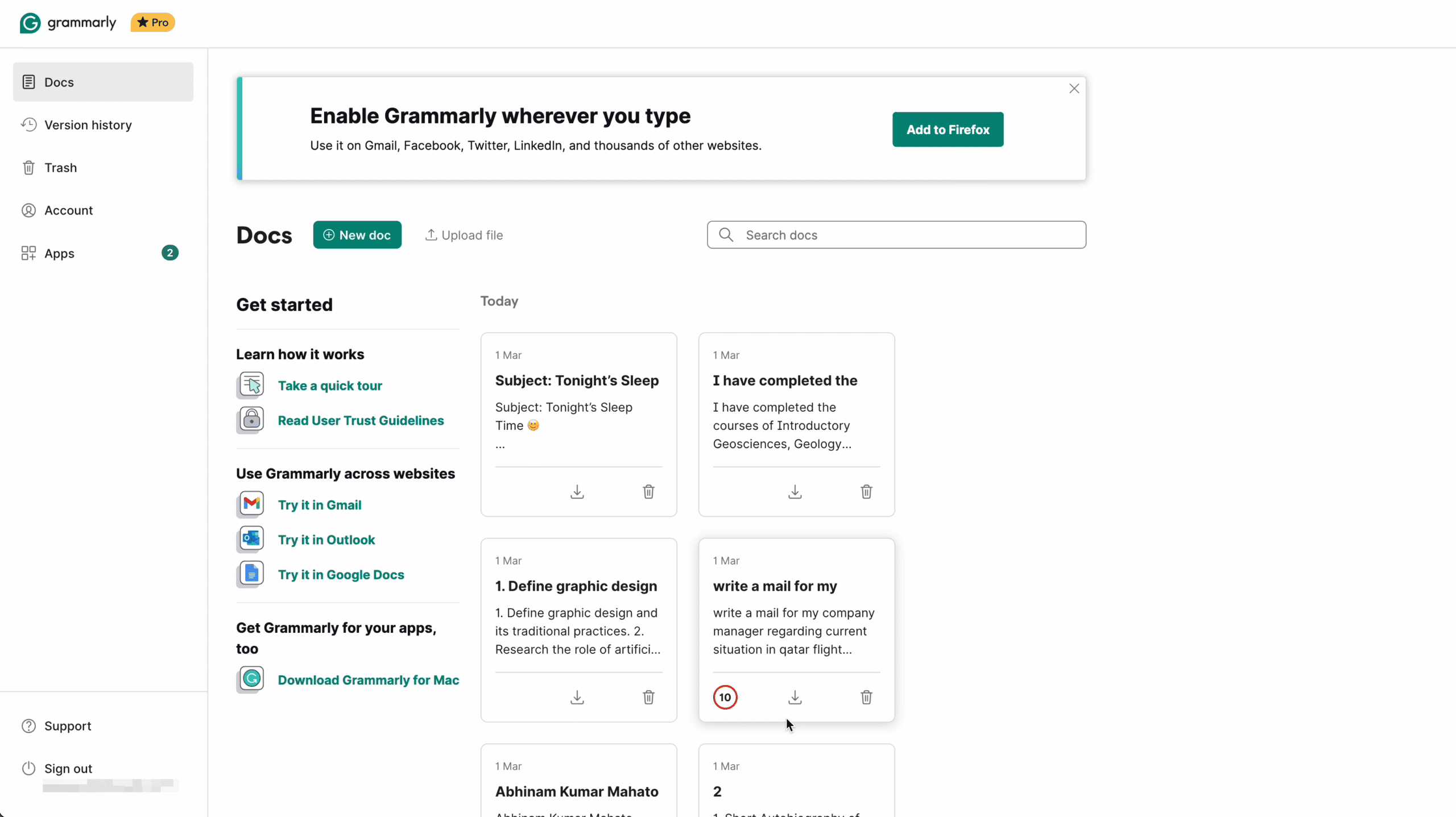
Every number in this article is from my personal Grammarly Pro test runs. I will show you the methodology, the raw results, and my honest conclusion – including where Grammarly failed. I also reveal the exact privacy settings you MUST turn off before using Grammarly Pro in 2026.
Grammarly Pro vs ChatGPT/Claude: Why Pay for Proofreading?
The biggest question I get from my blog readers is: “Why should I pay $144/year for Grammarly Pro when ChatGPT/Claude can proofread my text for free?”
Honestly, a few months ago, I asked myself the same question.
But then Grammarly completely changed its entire platform. They stopped being just a “spell checker” and quietly turned into a full AI Workspace that does things ChatGPT absolutely cannot do.
Here’s a comparison between Grammarly Pro and ChatGPT Plus.
| Feature | Grammarly Pro | ChatGPT Plus |
|---|---|---|
| Primary Goal | Targeted tools for specific tasks (Proofreader, citations, grading, plagiarism detector, etc.) | One large LLM model that handles everything via prompting (creates high-volume content from scratch) |
| Fact Checker | Scans your draft for claims and cross-references live web data in real-time. | You must ask ChatGPT to “verify” or “check sources” using its search tool. |
| Citation Finder | Finds legit sources for your claims and generates APA/MLA/ Chicago citations on the fly. | Provides links if asked, but formatting and finding “legit” sources need a manual prompt. |
| AI Humanizer | Remove AI buzzwords to bypass AI detection, and rewrite it to sound like a natural human writing. | Needs specific prompts, “write like a human”; output often remains robotic, wordy, and boring |
| Reader Reactions | Predicts how an audience (e.g., “Skeptical Executive”) will feel about your writing tone. | You can ask it to “roleplay as a critic,” but it doesn’t have a dedicated feedback rubric. |
| AI Grader | It analyzes your post against specific goals (SEO, Academic, or Brand) and gives a score. | Gives a qualitative review but lacks a standardized “grade” system. |
| Workflow | Directly integrates with your browser, Slack, and MS Word. No copy-pasting required. | Most work happens inside the ChatGPT “Canvas” or chat box. Need manual copy-pasting. |
| Plagiarism Detection | Yes, scans your text against billions of web pages and academic papers (like ProQuest). | No. ChatGPT can’t check for plagiarism |
| AI Detection | Yes, to check your own work’s “AI-generated” before publishing. | No. ChatGPT doesn’t offer any “AI text detection” features. |
| Legal/Trust | Can generate a log proving which parts were human vs. AI-generated. | Black Box: No native way to “prove” your manual writing history. |
I use Grammarly Pro instead of ChatGPT for one main reason: ChatGPT is terrible for my daily workflow.
For example, if I need to edit an email with ChatGPT. First, I need to open the ChatGPT tab, copy my email, and write a prompt: “Proofread this and fix the writing errors”. Then, I realized ChatGPT completely rewrote my email, and it looks robotic.
Then I prompt it again to “make it sound more like me,” and then copy-paste it back into my email. Doing this 20 times a day is exhausting.
On the other hand, Grammarly perfectly integrates with my browser. I don’t need any prompts to proofread my email. If I need a rewrite, I need to select the sentence, and with a single click, Grammarly will rewrite it, while preserving my writing tone.
Bottom Line: As of now, I use ChatGPT to brainstorm and generate my messy first draft. Then I use Grammarly Pro to polish that draft into a publishable masterpiece for my work.
How I Tested Grammarly Pro (4-Phase Stress Test)
In 2026, Grammarly has evolved from a simple spellchecker into a full-stack AI writing command center. To look beyond the marketing hype, I conducted a 4-phase Grammarly Stress Test designed for the modern writing landscape:
- Hallucination Check: Testing the new Fact-Checker agent against 12 planted fake data points to measure accuracy.
- Proofreader Check: Testing against 2500 error-filled documents to find all grammatical errors.
- AI Detection Bypass: Running ChatGPT-generated content through the Humanizer tool, then re-checking it with Grammarly’s own AI Detector to find the bypass rate.
- Integrity Audit: Running 4 document types (original, plagiarized, AI-spun, and properly cited) through Grammarly’s Plagiarism Checker and Authorship Report, then cross-referencing against Copyscape and Turnitin.
Quick Verdict: In my test, Grammarly Pro caught 91% of grammar errors, flagged 67% of AI hallucinations, and reduced AI detection scores by an average of 47 points using its own Humanizer tool.
Test 1: Hallucination Check (Fact Checker vs. Fabricated Claims)
The Problem: ChatGPT/Claude (or any AI model) is notorious for “hallucinating,”. LLMs confidently state false information as fact. Grammarly’s new Fact Checker agent is supposed to solve this by cross-referencing every claim in your document against live databases.
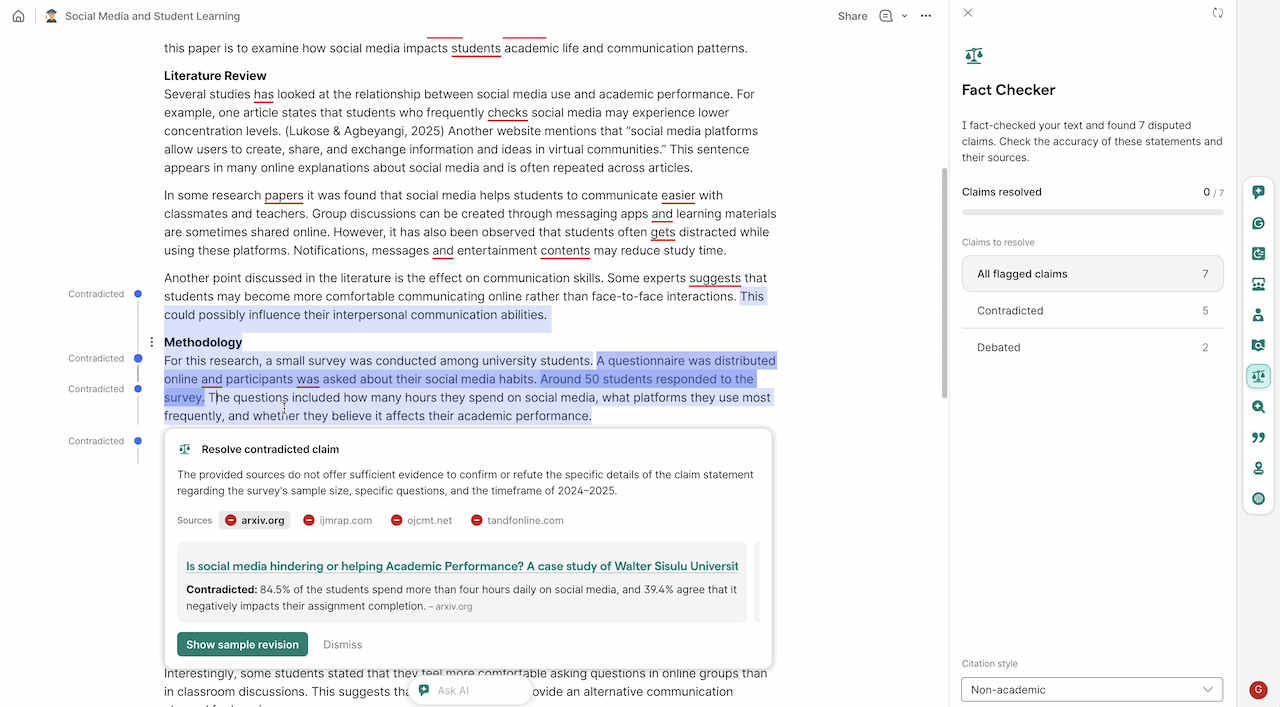
I wanted to see if it actually works. I wrote a 1,200-word article draft and planted 12 deliberately false/distorted claims, ranging from wrong founding dates to invented statistics. I ran the draft through Grammarly’s Fact Checker without marking which sentences were fake.
Here’s the result:
| Fake Claim I Inserted | Actual Truth | Grammarly Result |
|---|---|---|
| Grammarly was founded in 2005 in San Francisco. | Founded: 2009, Kyiv, Ukraine | ✅ Flagged — suggested 2009 & Ukraine |
| OpenAI’s GPT-4 was released in November 2022. | Released: March 2023 | ✅ Flagged — suggested March 2023 |
| The global grammar software market is worth $9.2 billion. | No verified figure exists | ✅ Flagged — could not verify source |
| Grammarly has over 40 million daily active users. | Widely reported: ~30 million | ✅ Flagged — suggested 30M |
| ProWritingAid was acquired by Grammarly in 2023. | Completely false | ✅ Flagged — found no evidence |
| The average blog post is 3,200 words long. | Industry data: ~1,400–1,500 words | ✅ Flagged — disputed the statistic |
| Shakespeare wrote 42 plays | Correct figure: 37 | ✅ Flagged — suggested 37 |
| ChatGPT reached 100 million users in 2 weeks. | Correct: 2 months | ✅ Flagged — suggested 2 months |
| NVIDIA’s H100 GPU contains ~40 billion transistors, designed for AI workloads. | Correct: 80 billion | ❌ Missed — no flag raised |
| Amazon’s AWS holds about 53%+ of the global cloud market share. | Actual: 30%+ market share | ❌ Missed — inflated number passed |
| Data centers can use over 1.0 million liters of water per day for cooling. | Actual: 1.5 million liters | ❌ Missed — no flag raised |
| Netflix alone accounts for about 20% of global internet traffic during peak hours. | No standard figure; highly variable | ❌ Missed — accepted vague claim |
Analysis: The Grammarly Fact Checker is genuinely impressive on well-documented public facts like dates, names, and major product releases. It falls apart on niche industry statistics and claims that are plausible but wrong by a margin. My advice: don’t rely on Grammarly for niche SaaS market data or industry-specific numbers without manually verifying.
Test 2: Proofreader Check (2,500 Documents, Every Error Counted)
The Problem: Grammarly’s core promise, the one it was built on, is catching grammar, punctuation, and spelling errors better than any other tool. After all the AI feature additions, is Grammarly’s proofreader still the best in the business?
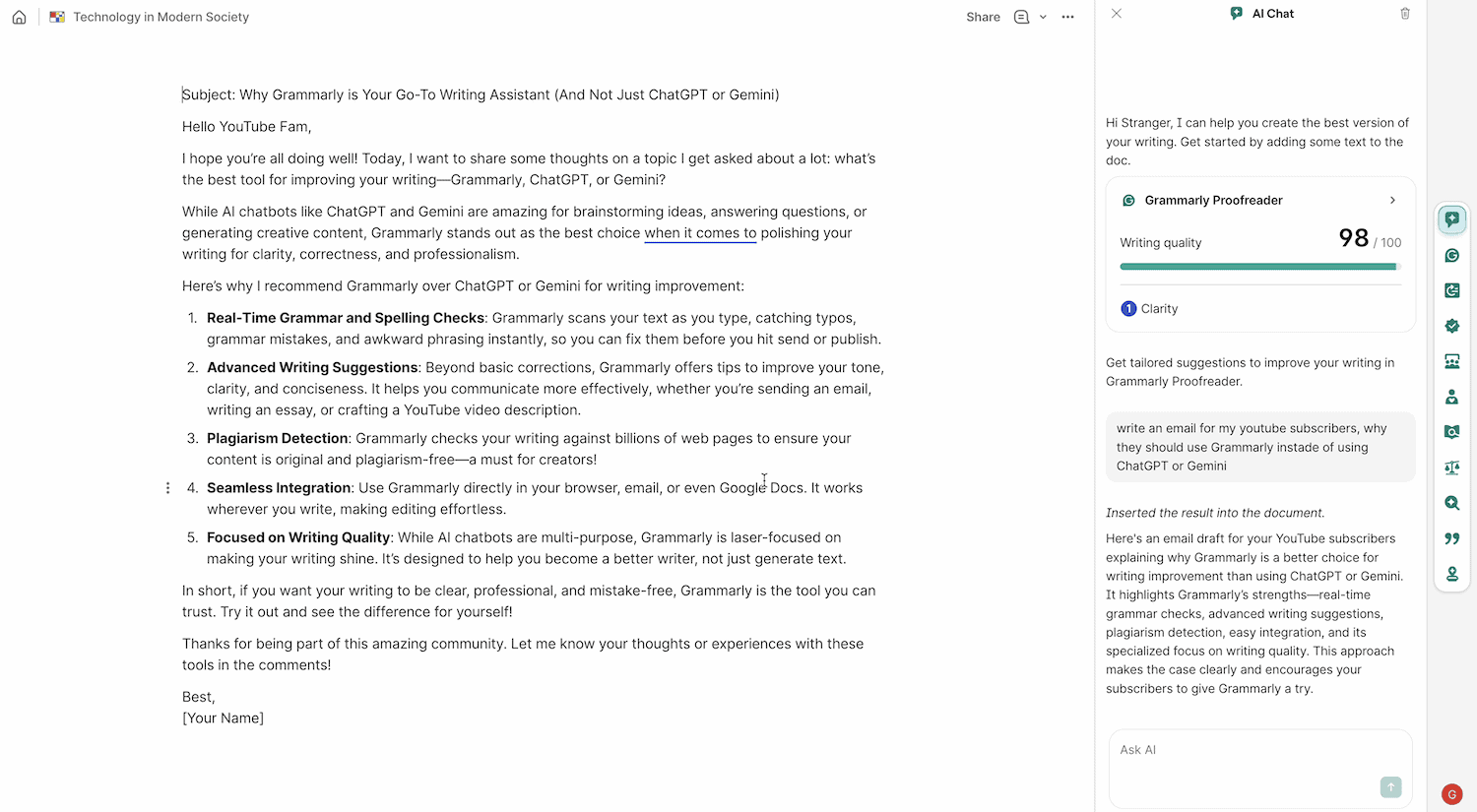
The Setup: I processed 2,500 short writing samples (averaging 180 words each) sourced from student writing repositories. Each sample contained a pre-verified set of planted errors across 10 categories. I ran every document through Grammarly Pro’s Proofreader and logged what it caught and what it missed.
Here’s the result: 2,186 of 2,402 Total Errors Caught (91% Detection Rate)
| Error Category | Errors Planted | Grammarly Caught | Miss Rate |
|---|---|---|---|
| Basic spelling mistakes | 412 | 410 | 0.5% |
| Wrong homophone (their/there/they’re) | 287 | 279 | 2.8% |
| Wrong apostrophe (it’s vs. its) | 156 | 153 | 1.9% |
| Subject-verb disagreement | 318 | 304 | 4.4% |
| Passive voice | 224 | 207 | 7.6% |
| Missing Oxford comma | 341 | 298 | 12.6% |
| Run-on sentences | 263 | 231 | 12.2% |
| Comma splice errors | 198 | 171 | 13.6% |
| Double negatives | 89 | 72 | 19.1% |
| Ambiguous pronoun reference | 114 | 61 | 46.5% |
| TOTAL | 2,402 | 2,186 | 9% |
Analysis: Grammarly is near-perfect (under 3% miss rate) on mechanical, rule-based errors (spelling, homophones, or apostrophes). It starts struggling against Ambiguous pronoun references (had a 46.5% miss rate).
I also ran the same 2,500 documents through ChatGPT. ChatGPT caught 74% of errors (17 percentage points behind Grammarly). But the critical difference is workflow: ChatGPT required manual copy-pasting for every single document. Grammarly processes inline, in real time, with zero extra steps.
Verdict: For real-time proofreading, Grammarly wins on both accuracy and speed. The 9% it misses is in context-dependent errors that require a human editor’s comprehension.
Test 3: AI Detection Bypass (Can the Humanizer Fool Grammarly’s Own Detector?)
The Problem: Grammarly Pro has two new AI tools that directly compete with each other. Humanizer removes AI signals from writing, and an AI Detector that identifies AI-written content. I wanted to run a controlled test: which tool wins when they face each other?
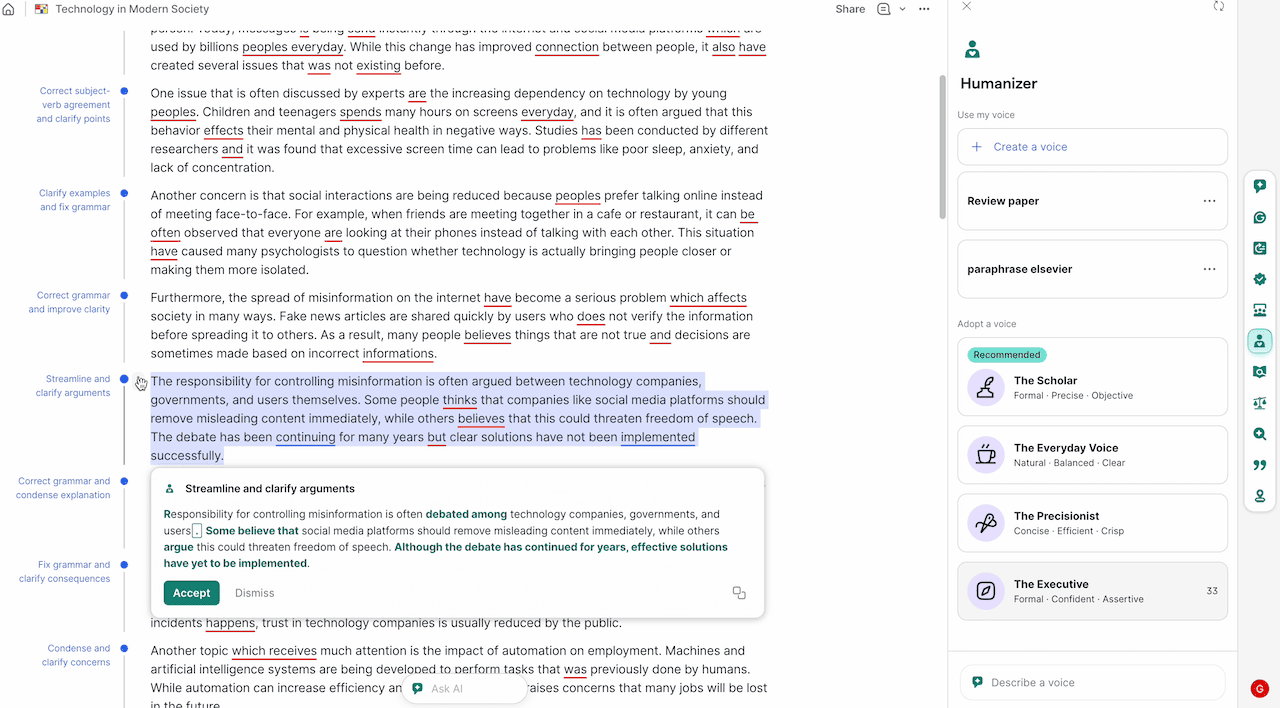
The Setup: I generated 10 writing samples (200 words each) using ChatGPT across varied formats: product review, college essay, business email, etc. I ran each sample through Grammarly’s AI Detector before humanizing (baseline score). Then I ran Humanizer using the “Everyday Voice” setting. Then, again, I re-ran each through the AI Detector to measure the score change.
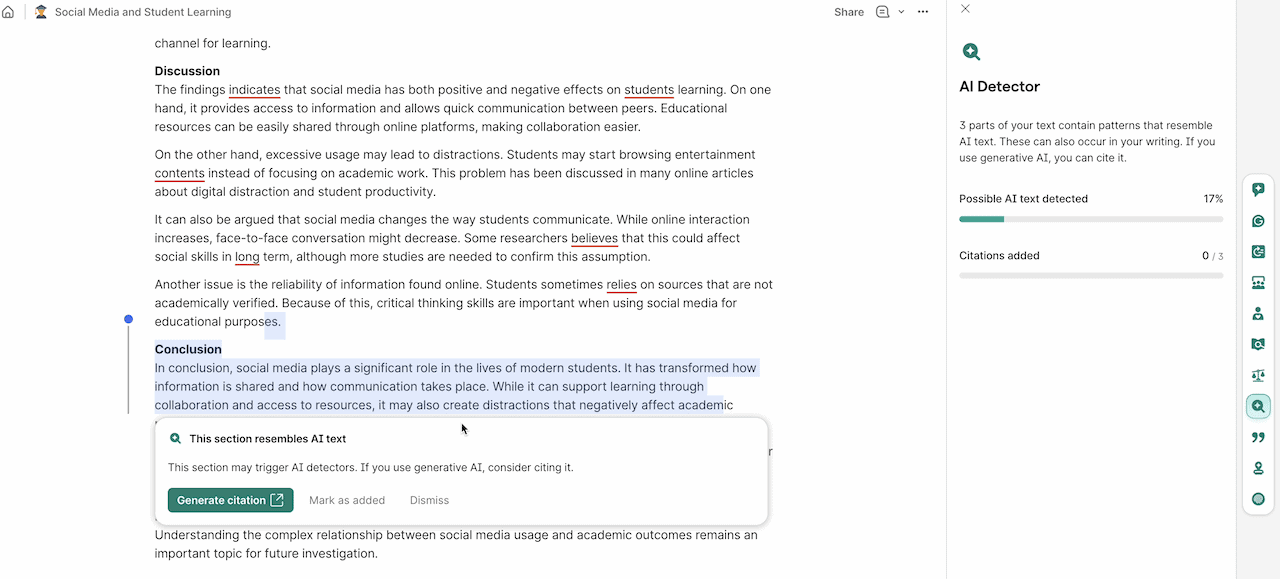
Results: Average AI Score Drop of 47 Points After Humanizing.
| Sample Type | Pre-Humanizer AI Score | Post-Humanizer AI Score | Score Drop |
|---|---|---|---|
| Social Media Post | 79% AI | 11% AI | ▼ 68 pts |
| Business Email | 91% AI | 22% AI | ▼ 69 pts |
| Recipe Intro | 83% AI | 18% AI | ▼ 65 pts |
| Product Review | 94% AI | 31% AI | ▼ 63 pts |
| Cover Letter | 92% AI | 38% AI | ▼ 54 pts |
| College Essay | 88% AI | 44% AI | ▼ 44 pts |
| Technical Blog | 96% AI | 57% AI | ▼ 39 pts |
| News Summary | 97% AI | 61% AI | ▼ 36 pts |
| Academic Abstract | 98% AI | 72% AI | ▼ 26 pts |
| Short Story Intro | 85% AI | 66% AI | ▼ 19 pts |
| AVERAGE | 90.3% AI | 42% AI | ▼ 47 pts |
Verdict: The Humanizer struggles with formal academic writing and works best on conversational formats like Social posts, emails, and product reviews. It dropped below 40% AI detection (the threshold most detectors treat as “likely human).
Grammarly’s Humanizer outmaneuvers Grammarly’s own AI Detector. However, don’t use the Humanizer as an academic integrity workaround. Institutional AI detectors (Turnitin, GPTZero) use different models than Grammarly’s own detector and flag AI content differently.
Test 4: Integrity Audit (Authorship Report vs. Real Plagiarism Databases)
The Problem: Grammarly’s Authorship Report claims to log every keystroke and edit session, producing a timestamp trail that proves human authorship.
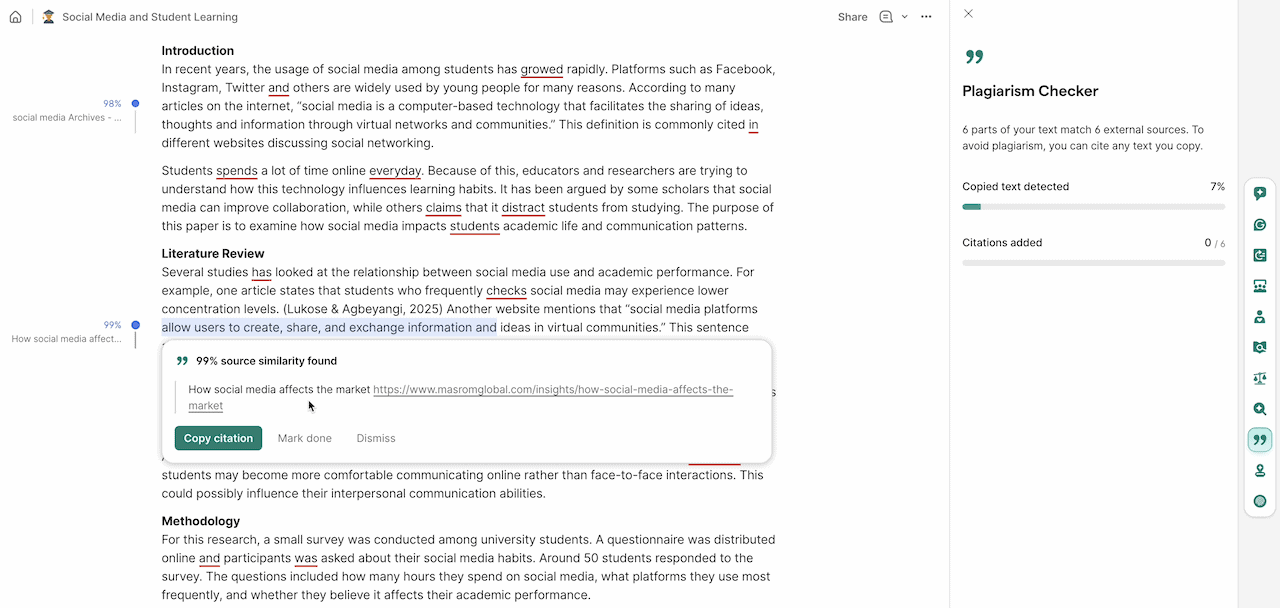
And Grammarly’s Plagiarism Checker claims to scan 16 billion+ web pages and millions of academic papers stored in ProQuest’s databases (the broadest single research resource globally).
The Setup: I wanted to know: how do these AI tools hold up against the industry-standard tools that schools and publishers actually use? I created 4 document types and ran them through three plagiarism checkers simultaneously: Grammarly, Copyscape, and Turnitin.
- Sample A: 1,400-word article I wrote entirely from scratch.
- Sample B: 1,400-word article with 30% directly copied from Wikipedia (obvious plagiarism).
- Sample C: 1,100-word article generated by AI and then paraphrased by a spinning tool via QuillBot (disguised plagiarism)
- Sample D: 1,100-word article using proper block quotes and in-text citations from 4 sources (legitimate sourcing)
Plagiarism Detection Results:
| Sample | Grammarly Score | Copyscape Result | Turnitin Similarity | Final Verdict |
|---|---|---|---|---|
| Sample A | 2% match | 1% flagged | 4% similarity | ✅ CLEAN |
| Sample B | 31% match | 27% flagged | 34% similarity | ❌ FLAGGED |
| Sample C | 8% match | 3% flagged | 11% similarity | ⚠️ BORDERLINE |
| Sample D | 11% match | 9% flagged | 13% similarity | ✅ CLEAN |
Result: Grammarly’s plagiarism results were within 3–5% points of both Copyscape and Turnitin on every sample. For a plagiarism checker tool bundled inside a writing assistant, that is a genuinely impressive accuracy rate.
Authorship Report Results:
| Sample | Grammarly Report | Reality Check |
|---|---|---|
| Sample A | 100% Human-Authored | ✅ Accurate |
| Sample B | “Abnormal input pattern | ✅ Accurate (caught the bulk paste) |
| Sample C | 100% Human-Authored | ❌ Inaccurate (missed AI-generated) |
| Sample D | 100% Human-Authored | ✅ Accurate |
Result: Grammarly’s Authorship Report correctly flagged “abnormal input pattern” on the Wikipedia copy. However, when I manually typed out AI-generated text character-by-character in Sample C, the Authorship Report classified it as “100% Human-Authored.” Grammarly’s authorship report only tracks input behavior, not content origin. It cannot detect AI writing that a human physically types in.
Verdict: Grammarly’s Plagiarism Checker is genuinely competitive with Copyscape and within an acceptable margin of Turnitin. The Authorship Report is valuable for freelancers, ghostwriters, and students who write legitimately and want proof. But don’t treat the Authorship Report tool as a fraud detection system.
Pros and Cons Of Using Grammarly
I’ve been using the new Grammarly editor and Chrome extension for more than 7 years. Here is exactly what I like and what I don’t, based on my actual workflow.
Why You Should Use Grammarly? (Pros)
- No more prompting: I don’t have to write a 50-word prompt to get a good rewrite. Also, I don’t have to copy-paste into a chat box anymore. It works directly in my WordPress dashboard and Gmail.
- The Fact Checker is real: It caught two wrong dates in my last draft. It actually checks live data to see if I’m wrong.
- The AI Grader: It gives me a score out of 100. It’s a great way to know if a post is actually finished or if I need more edits.
- Transparency: The Authorship Report is a must-have for proof of original work.
- E-E-A-T Friendly: For bloggers, the automated citations and fact-checking are a massive time-saver.
Why You Shouldn’t Use Grammarly? (Cons)
Below are a few reasons I think you should avoid upgrading to the Pro Version.
1: You Are a Creative Writer (Fiction/Poetry)
Grammarly is built for logic and “grammatical correctness,” which is the opposite of artistic prose. If you are writing a novel, poetry, or a screenplay, Grammarly will often try to “fix” your unique rhythm, sentence fragments, or intentional slang. If you blindly accept Grammarly’s suggestions, your unique writing style may be stripped away, leaving you with writing that sounds robotic and sterile.
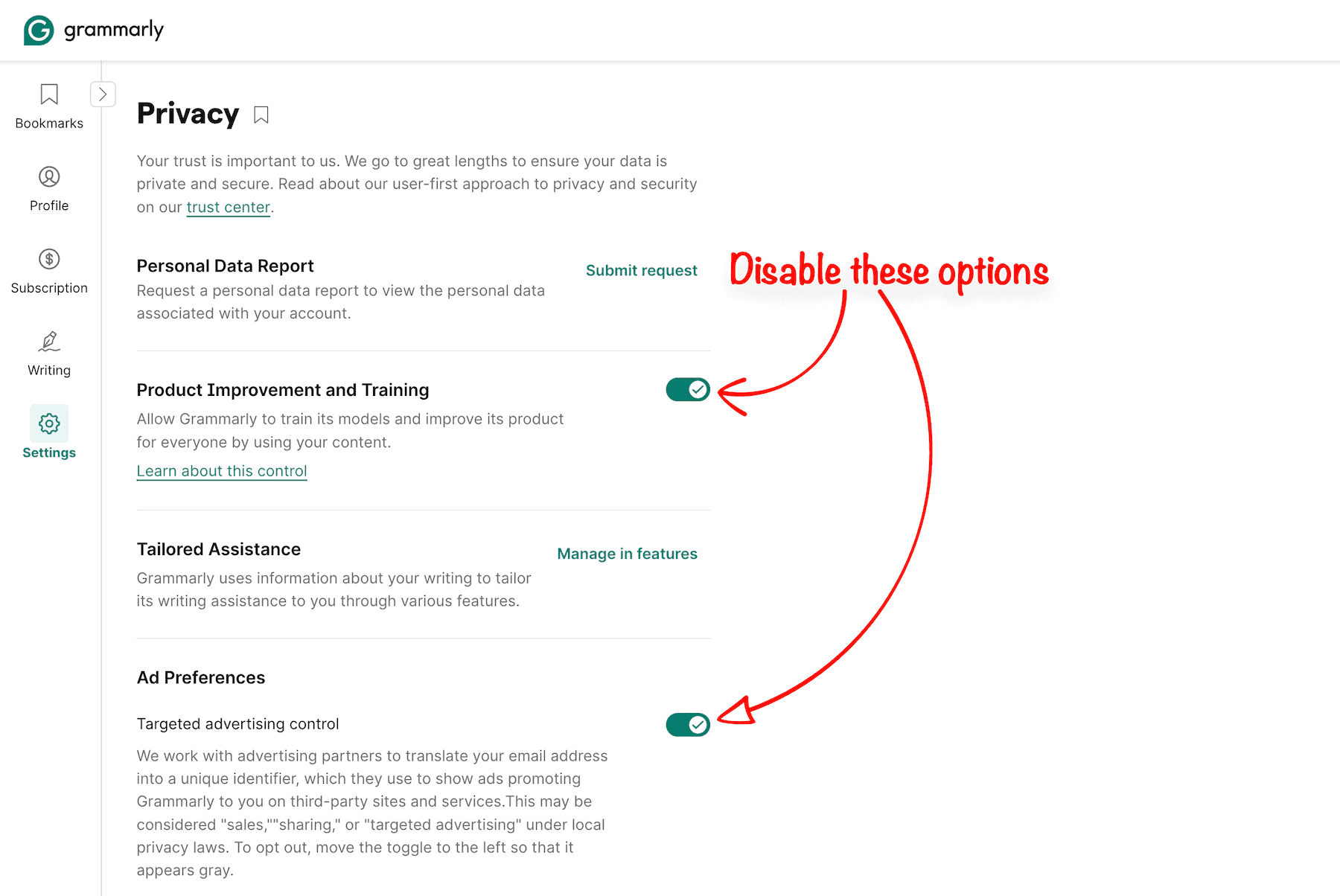
2: You Work with Highly Sensitive Data (Turn OFF These Privacy Settings)
When you use Grammarly, you are essentially allowing a third party to “read” every keystroke to provide suggestions. And in their recent update, your data may be used to train their AI models unless you manually opt out in Grammarly settings.
While Grammarly has robust security standards (SOC 2, HIPAA compliance), it is still a cloud-based service. If you are a lawyer drafting strict NDAs, a doctor handling patient records, or you work with government high-level R&D, having cloud-based AI tools poses a major security risk.
Unlike LanguageTool, Grammarly does not offer a self-hosted “local” version. In some niche cases, the risk of data processing might violate your organization’s strict compliance policies.
3: Prohibitive Cost for Casual Users
If you only write a few emails a week or the occasional social media post, or write in a journal, $30 a month (or $144 a year) is a massive expense.
You do not need “Executive-level tone adjustments” or “AI Grader” for a Reddit post. If your writing doesn’t have a financial or academic return on investment, stick to the free plan.
For casual use, the Grammarly free version is more than enough, 90% of what you need. Paying for a Pro subscription is only “worth it” if you are a high-volume writer who can justify the cost as a business expense.
4: The AI Detection Problem (The Major Drawback)
Grammarly Pro is nearly perfect as a plagiarism detector. But AI Text Detector is currently its biggest weakness. It consistently struggles with significant “Generate AI text detection” accuracy issues, which can be a headache for students and content creators.
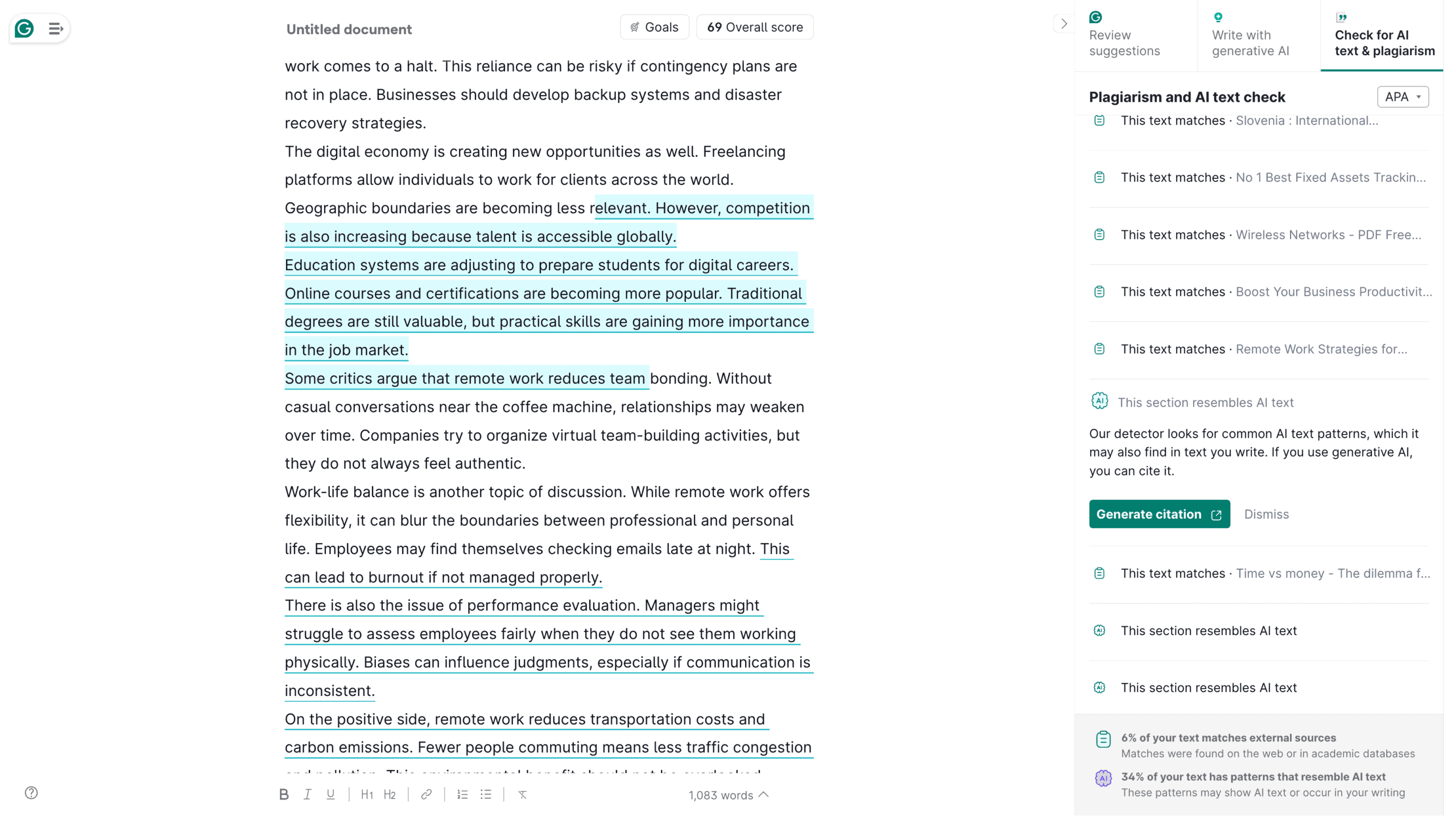
It often flags perfectly human writing as “AI-generated” when it is highly structured, technical, or formal. Ironically, using Grammarly’s own “Clarity Rewrites” features actually increases your AI detection score. In my experience, it catches older GPT-3.5-generated text easily, but it frequently misses advanced models like GPT-4 or Claude 3.5, giving you a false sense of security.
5: The Strict “No-Refund” Policy
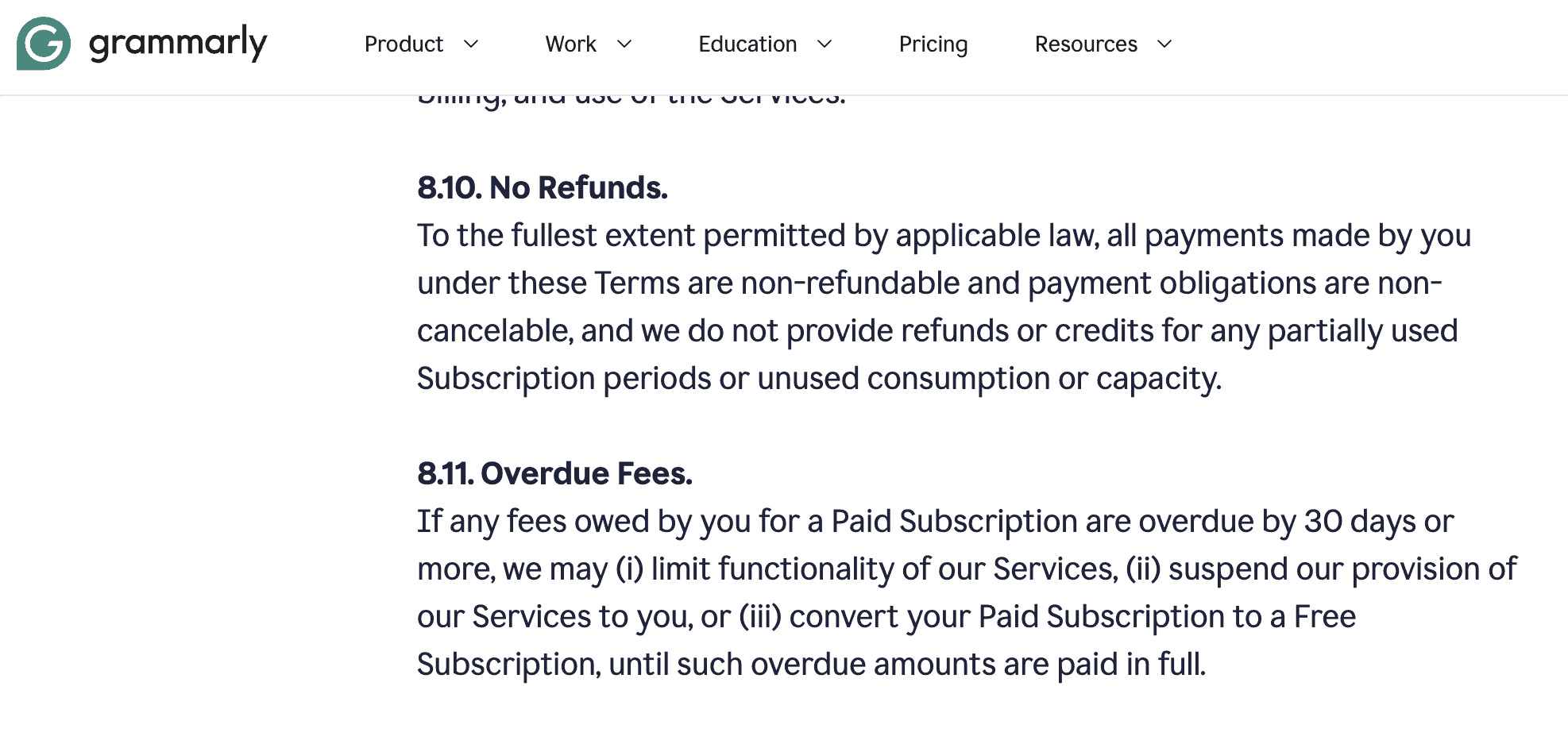
Grammarly has a strict “no-refund” policy from the start, except if you bought twice in the same account. If you sign up for the $144 annual plan and realize after two weeks that it isn’t for you, getting your money back is nearly impossible. There is no “free trial” for Pro, so you have to commit 100% upfront.
6: Aggressive “Push-to-Pro” Marketing
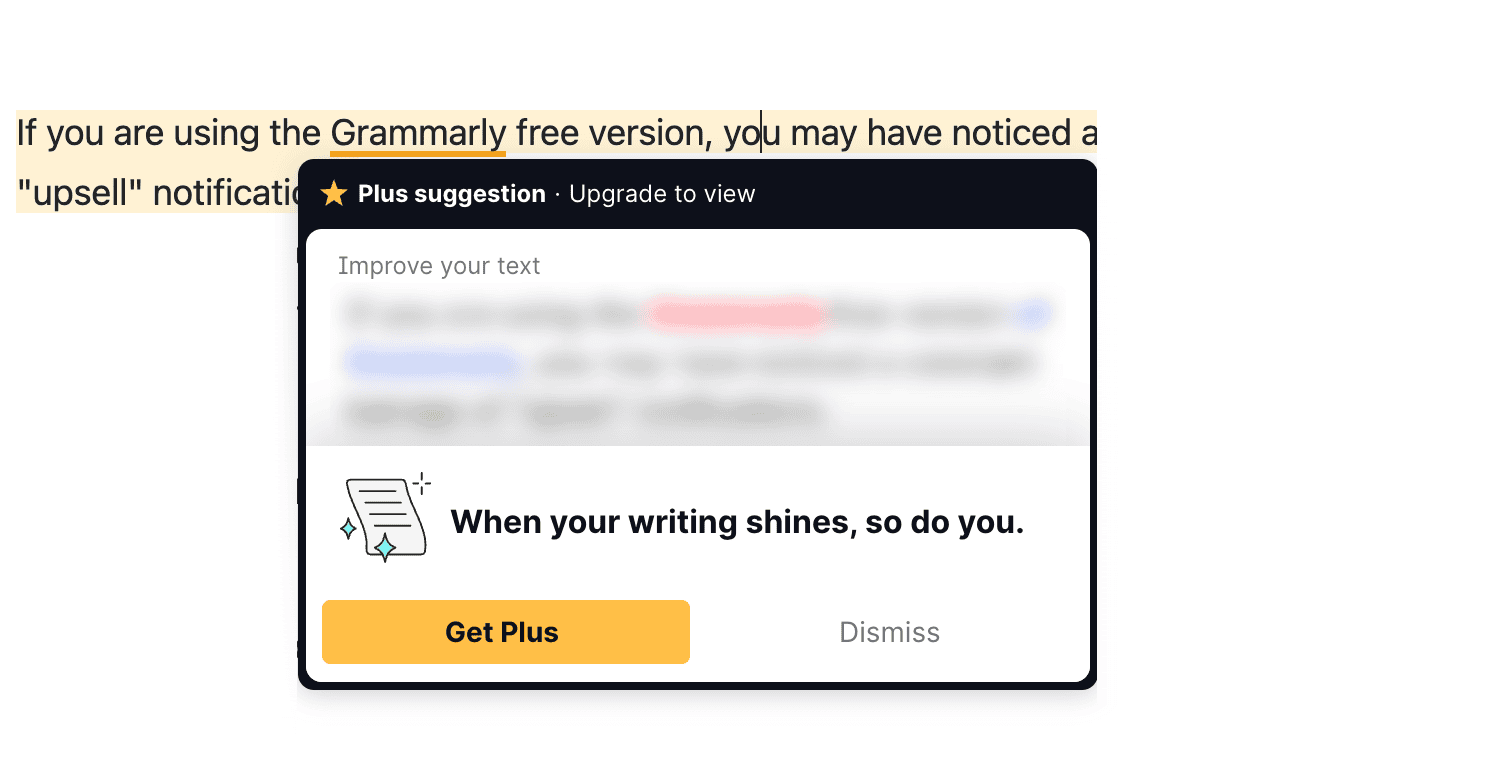
If you are using the free version of Grammarly, you may have noticed a constant barrage of “upsell” notifications. Grammarly is notorious for its intrusive pop-ups and “hidden” suggestions that only reveal themselves once you pay. Even as a Pro user, I occasionally see nudges to use their latest Superhuman integrations, which can clutter your writing workspace.
7: The “Superhuman” Bloat & Rebranding
Since Grammarly rebranded to Superhuman, it has become significantly “bloated.” It now tries to manage your email, calendar, schedule your meetings, and “Expert Review” your work using AI bots.
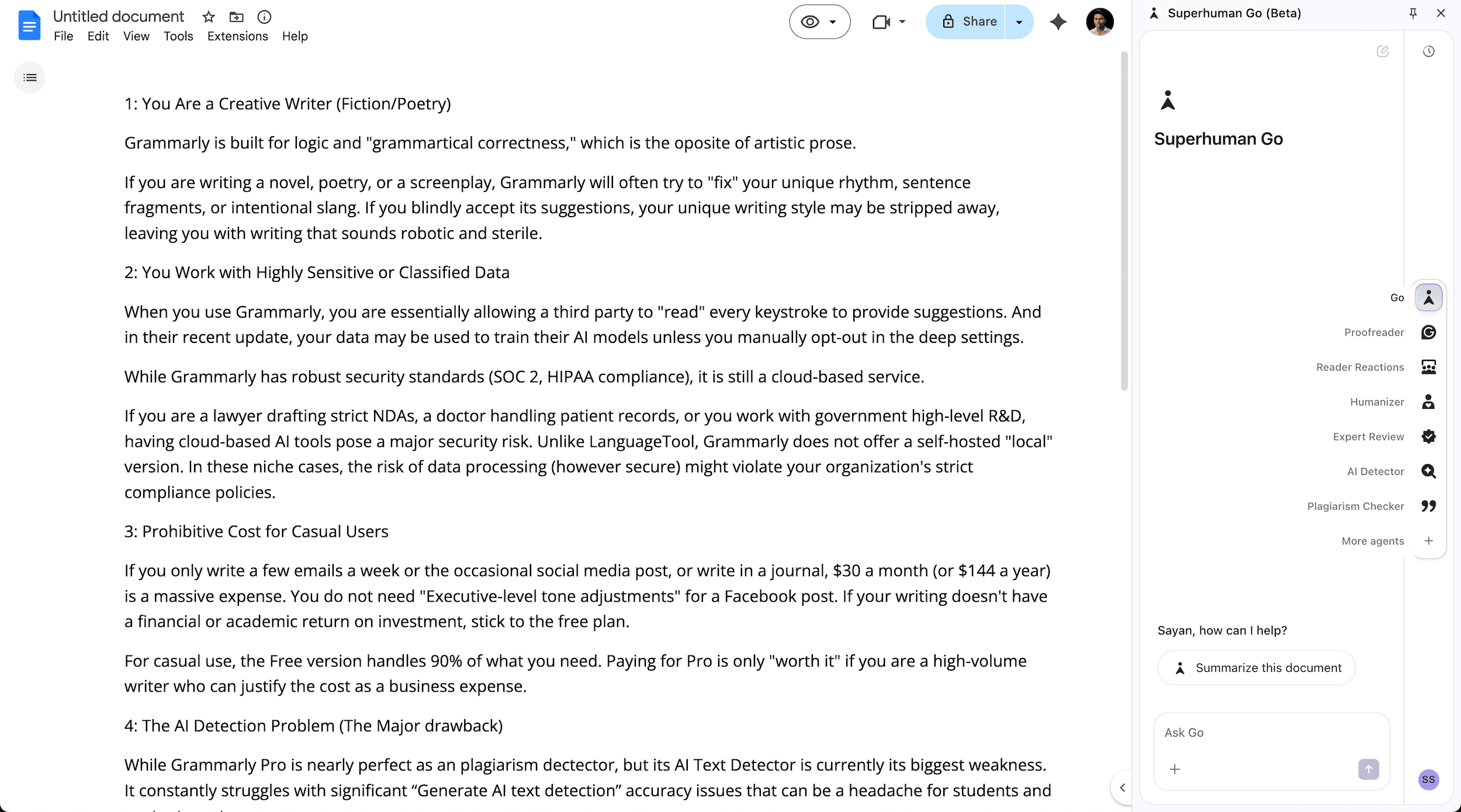
I feel Grammarly has moved away from being a “best writing assistant” tool to being an intrusive “productivity OS” that takes over your entire browser. You can disable your Chrome/Firefox extension, but it feels like Grammarly is constantly fighting to pull you back into the ecosystem (Superhuman Go).
Grammarly Pricing & Plans Breakdown
Grammarly recently rebranded and merged its “Premium” and “Business” plans into a single plan called “Grammarly Pro“. This means individual users now have access to Grammarly Business Plan features, such as Style Guides and Team Management.
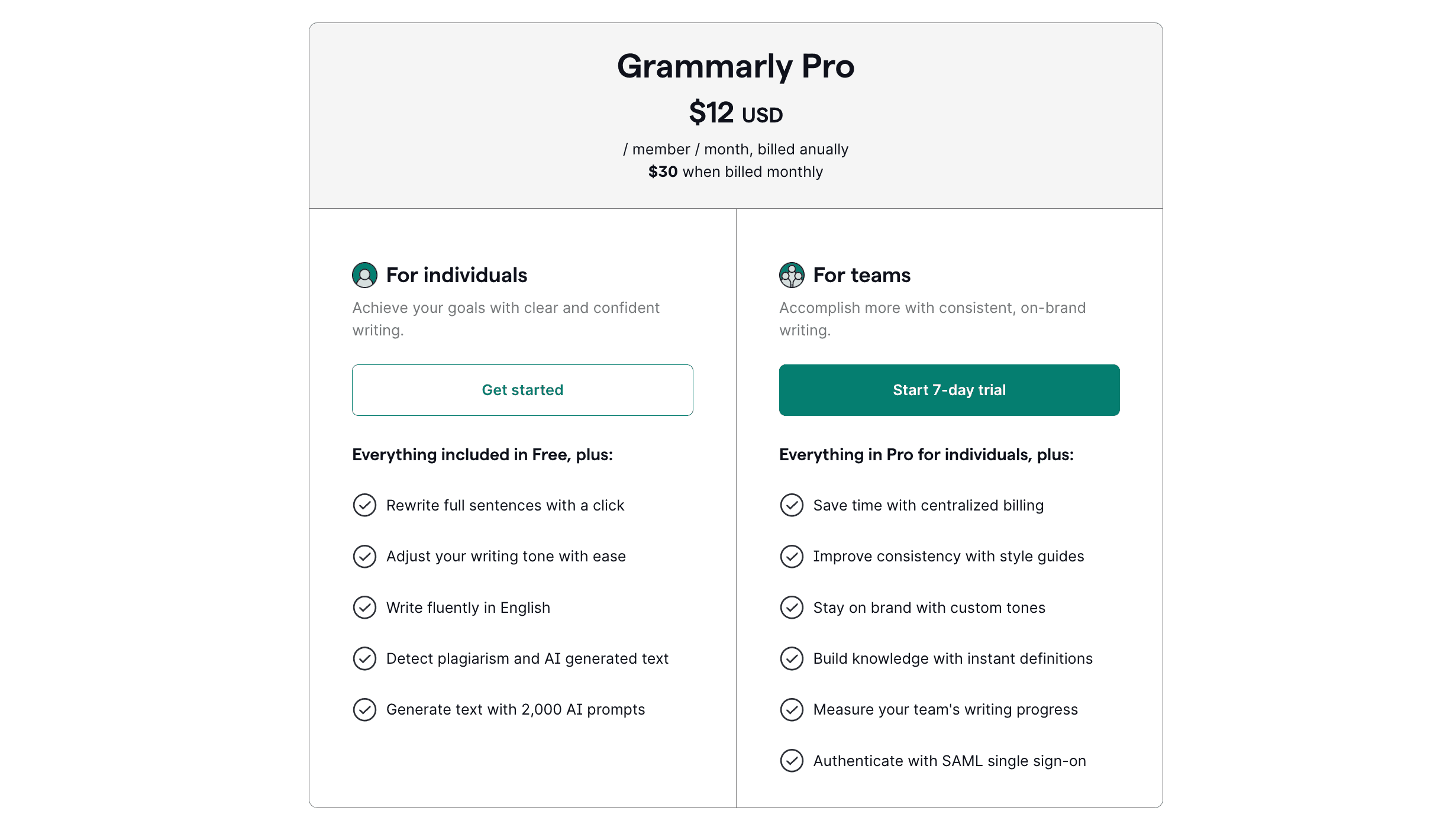
The Grammarly Pro pricing structure is designed to reward long-term commitment. While the monthly cost is steep, the annual plan remains the “sweet spot” for most professional users.
| Plan | Price | Billing Cycle | Best For |
|---|---|---|---|
| Monthly | $30/month | Billed Monthly | Short-term projects or testing. |
| Quarterly | $20/month | Billed every 3 months ($60) | Users who want flexibility. |
| Annual | $12/month | Billed yearly ($144) | Serious professionals & veteran writers. |
Note: If you add team members to your Pro account, pricing scales per seat according to the rates above.
Grammarly Free vs. Pro plans Breakdown
The core difference between the Grammarly Free & Pro plans is Correction vs. Creation.
Grammarly Free version is a reactionary tool. When you write your article, Grammarly automatically points out your basic spelling, punctuation, and grammatical mistakes.
The Grammarly Pro version is more like a proactive partner. It helps you rewrite sentences, generates text from scratch, checks for plagiarism, detects AI-generated text, and manages your writing tone.
Here’s a comparison table between Grammarly’s free and Pro subscriptions.
| Feature | Grammarly Free | Grammarly Pro |
|---|---|---|
| Grammar & Spelling check | Yes (Basic) | Yes (Advanced + Consistency) |
| Tone Detection | Basic labeling | Advanced swapping & adjusting |
| Enterprise-grade privacy | No | Yes |
| Full-Sentence Rewrites | No | Yes (Clarity & Fluency) |
| Generative AI Prompts | 100 per month | 2,000 per month |
| Plagiarism Checker | No | Yes (Scans 16B+ sources) |
| AI Text detection | No | Yes |
| Team & Style Guides | No | Yes (Up to 149 team members) |
| Best For | Casual, everyday writers | Students, Professionals, Teams |
Best Grammarly Alternatives in 2026
Grammarly is the undisputed market leader, but it is not a monopoly. Depending on your writing style, budget, privacy needs, or the specific type of work you do, another tool might be a better fit.
For instance, fiction writers often find Grammarly too rigid. Furthermore, many users wonder if they even need a dedicated premium writing assistance tool when they can ask a chatbot to fix their grammatical errors.
Below is a breakdown of how Grammarly stacks up against its biggest competitors, like ProWritingAid, QuillBot, LanguageTool, and ChatGPT/Gemini.
| Tool | Best For | Key Feature | Pricing | Why Choose This? |
|---|---|---|---|---|
| Grammarly | General professionals, students. | All-in-one editing, clarity rewrites, and Generative AI. | $12/mo | Best overall integration across all apps and browsers. |
| ProWritingAid | Fiction writers, authors, and long-form bloggers. | Deep stylistic reports (pacing, dialogue tags, echoes). | $10/mo or Lifetime Plans | It respects creative writing. Offers a lifetime subscription. |
| QuillBot | Students and budget-conscious users. | Paraphrasing and summarizing tools. | $8.33/mo | Cheaper than Grammarly. Incredible at rewriting and a plagiarism checker. |
| ChatGPT / Gemini | Brainstorming, heavy content generation, and vibe coding. | Raw article creation and back-and-forth conversational editing. | Free (or $20/mo) | Best for generating entire articles from scratch. |
| LanguageTool | Multilingual writers and privacy-focused users. | Supports over 30 languages. | $5/mo | Cheaper and good enough for students. |
FAQ’s About Grammarly
Below are the most common questions asked by new Grammarly users.
Is the Plagiarism Checker included in the $12/month price?
Yes, Grammarly offers unlimited plagiarism checks against 16 billion web pages and ProQuest’s academic databases as part of the Pro subscription.
Can I use Grammarly Pro offline?
No. Grammarly relies on massive cloud-based databases and advanced AI models to process its grammar rules, clarity rewrites, and plagiarism checks. It requires an active internet connection to function.
Is Grammarly safe to use with sensitive company information?
In my opinion, NO. Grammarly has a highly secure system and holds SOC 2 and HIPAA compliance certifications. But if you’re handling highly classified government data or strict legal NDA documents, don’t use Grammarly.
Does Grammarly work on my mobile?
Yes, you need to install the Grammarly Keyboard application on iOS and Android. It provides real-time grammar checks, writing tone detection, and rewrite suggestions.
Does Grammarly Pro offer a student discount?
Yes, Grammarly does offer time-to-time discounts on its Pro plans, and they work for everyone. Right now, their annual Plan is effectively a 60% discount compared to the monthly price.
Does Grammarly Pro have a free trial?
Yes, Grammarly offers a 7-day free trial only for the “Grammarly Pro for Teams” plan. However, for an individual plan, Grammarly doesn’t offer any free trial.
Is Grammarly Pro worth it for students?
Absolutely, Grammarly Pro includes advanced grammar checks for academic papers, AI-powered citation formatting, and a plagiarism checker. It’s one of the best writing assistance tools a student can invest in to secure better grades.
Can Grammarly detect AI-generated text?
Yes, Grammarly includes an AI detection feature that helps you identify AI-generated text, which is incredibly useful for editors, teachers, and managers reviewing content.
Final Verdict: Is Grammarly Pro Worth the Upgrade?
After seven years of testing every Grammarly update, here is my honest “unfiltered” conclusion: Grammarly Pro is a tool for the Professional, not the Artist, or anyone who writes for a living.
While the Grammarly AI detector is hit-or-miss, you aren’t paying $12/month for an AI detector – you’re paying for a comprehensive writing assistant & plagiarism checker.
In my experience, Grammarly’s real value lies in the Plagiarism checker, writing tone adjustment, & Generative AI. These features alone act as a high-level writing assistance tool that can save you hours of manual proofreading every week.
However, if you are a fiction writer who values unique writing or a casual user on a budget, the Grammarly Pro plan will likely frustrate you more than it helps. Between the lack of a refund policy, constant notifications, and the growing “bloat” from the Superhuman merger, you might find more value in a lighter alternative like LanguageTool.
Here are my Overall Grammarly ratings based on the pro plans’ features:
| Category | Ratings | My Notes |
|---|---|---|
| Grammar Accuracy | 4.8/5 | The most reliable and nuanced checker on the market. |
| Generative AI | 4.5/5 | 2,000 prompts is generous; the “Writing Tone Profile” is a game-changer for me. |
| Ease of Use | 5.0/5 | Seamlessly works in browsers, MS Word, and mobile. |
| Value for Money | 4.4/5 | Great at $12/mo (Annual); feels expensive at $30/mo (Monthly). |
| Plagiarism Checker | 5.0/5 | Massive database; incredibly helpful for students, teachers, and professional writers. |
| AI Writing detection | 3.5/5 | 75% of the time, Grammarly detects AI-generated text perfectly. |
| Final Score | 4.53/5 | Highly recommended for students or any serious professionals. |
Then who should use Grammarly Pro?
If your goal is to be the most efficient, clear, and error-free version of yourself in a corporate or business setting, the Grammarly Pro upgrade is absolutely worth it. However, if I were writing my first novel tomorrow, I’d open ProWritingAid. If I were a college student on a coffee-money budget, I’d stick with QuillBot.
The bottom line: Upgrade if you write to sell or inform; stay free if you write to create.
Upgrade to Grammarly Pro PlansThat’s all for now. If you have any questions related to Grammarly Pro, let me know in the comments section.
Thank you for reading. Have a nice day.
Grammarly Pro Review
Grammarly is an all-in-one AI-based online writing assistant tool that reviews spelling, grammar mistakes, punctuation, Clarity, Engagement, and checks for plagiarism.
Price: $12/Month
Price Currency: USD
Operating System: Windows 11, macOS Tahoe, Android 16
Application Category: Writing Assistant
4.5